Xtreme Power Conversion Corporaon
TX90 6kVA & 10kVA Service Manual
Page 9
Uninterrupble Power Supply
F. Cooling Fans
G. External Baery Connector
H. External Charger Connector
I. Ulity Input Breaker CB1
K. CAM Switch (Maintenance Bypass Switch)
L. Input/Output Terminal Block (shown with cover removed)
M. Mounng Holes for External Charger Cabinet
N. EPO (Emergency Power O): Short to enable the funcon
O. Thermal breaker for the protecon of Load in abnormal condion: CB3 (TX90-10K only)
P. Air Venlaon Hole
Communicaon Port
The communicaon port on the UPS provides for RS-232 communicaon with the UPS soware to remotely moni-
tor the power and UPS status.
You may use oponal interface cards for Relay (Dry Contact) and SNMP. These cards may be used simultaneously.
The soware bundled with the UPS is compable with many operang systems such as Windows 98, 2000, ME,
NT and XP. For other applicaons such as Novell NetWare, Unix, or Linux please contact your local distributor for
a proper soluon.
When the oponal interface cards are used together with the onboard RS-232 port the EPO signals will get highest
priority, then the SNMP/WEB card, then the shutdown command at the relay card, and then nally the onboard
RS-232 port gets the lowest priority.
True RS-232
Interface Sengs
The RS-232 interface shall be set as follows:
Baud Rate 2400 bps
Data Length 8 bits
Stop Bit 1 bit
Parity None
Pin Assignments
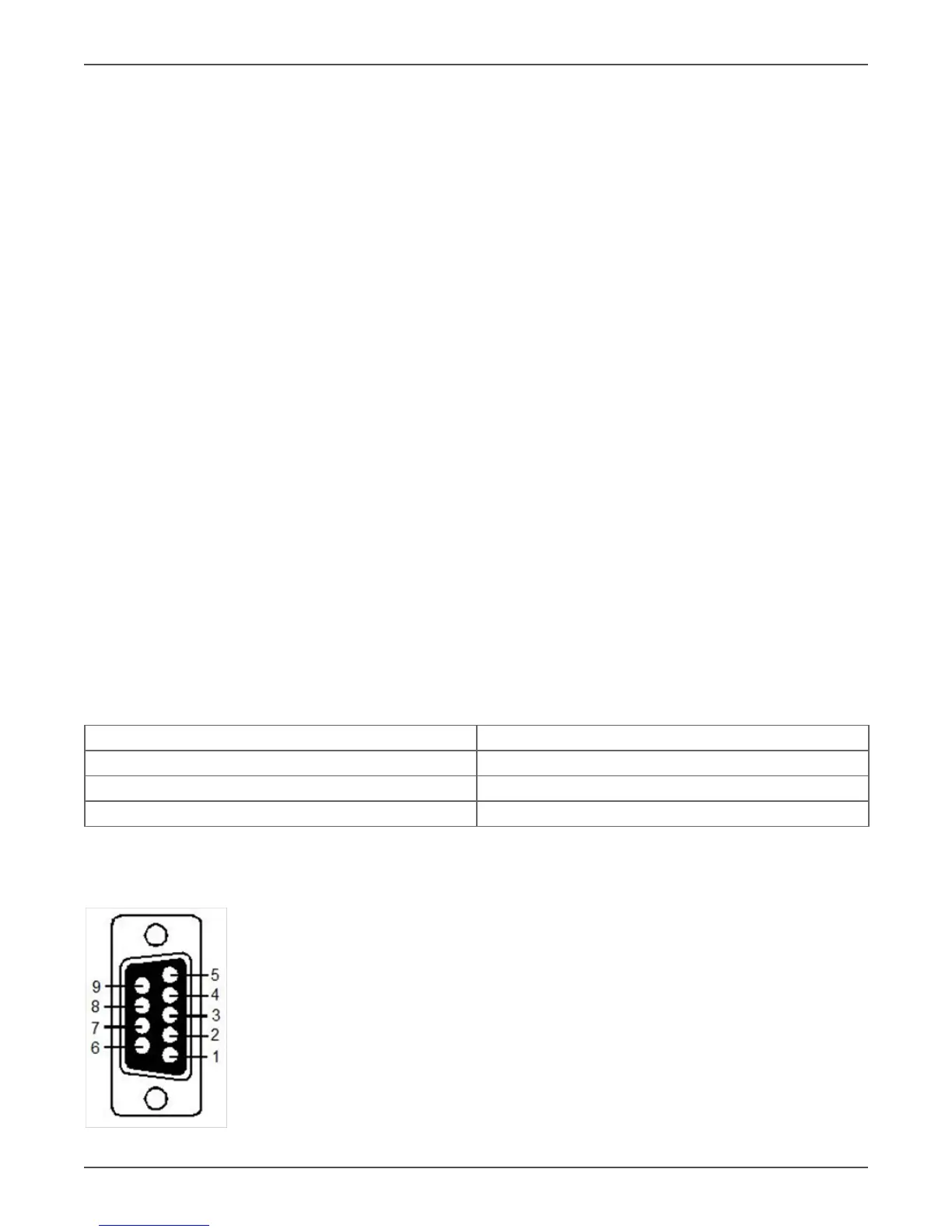
The Pin Assignments of true RS-232 are as follows (The connector is male):
Pin 3: RS-232 Rx
Pin 2: RS-232 Tx
Pin 5: Ground



 To Next Page