Xtreme Power Conversion Corporaon
TX90 6kVA & 10kVA Service Manual
Page 36
Uninterrupble Power Supply
Replacing Baeries
To be performed by qualied personnel only
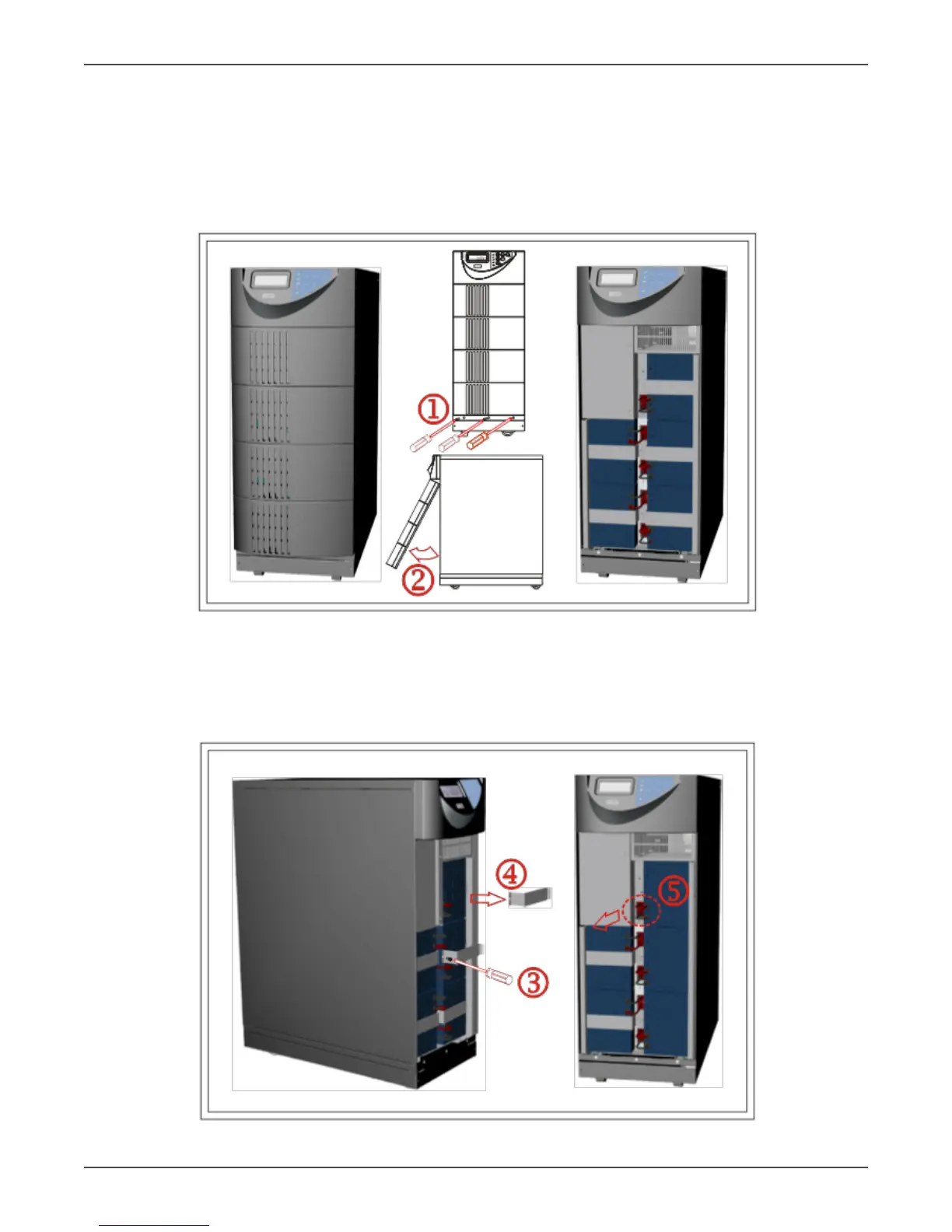
1. Unscrew the boom of the front panel as indicated in Step 1 below.
2. Remove the front panel as indicated in Step 2.
TX90-6K shown above
3. Remove the screw of the baery pack fastener as shown in Step 3.
4. Remove the fastener as shown in Step 4.
5. Unplug the hot-swappable baery connectors as shown in Step 5.



 To Next Page