Xtreme Power Conversion Corporaon
TX90 6kVA & 10kVA Service Manual
Page 17
Uninterrupble Power Supply
P
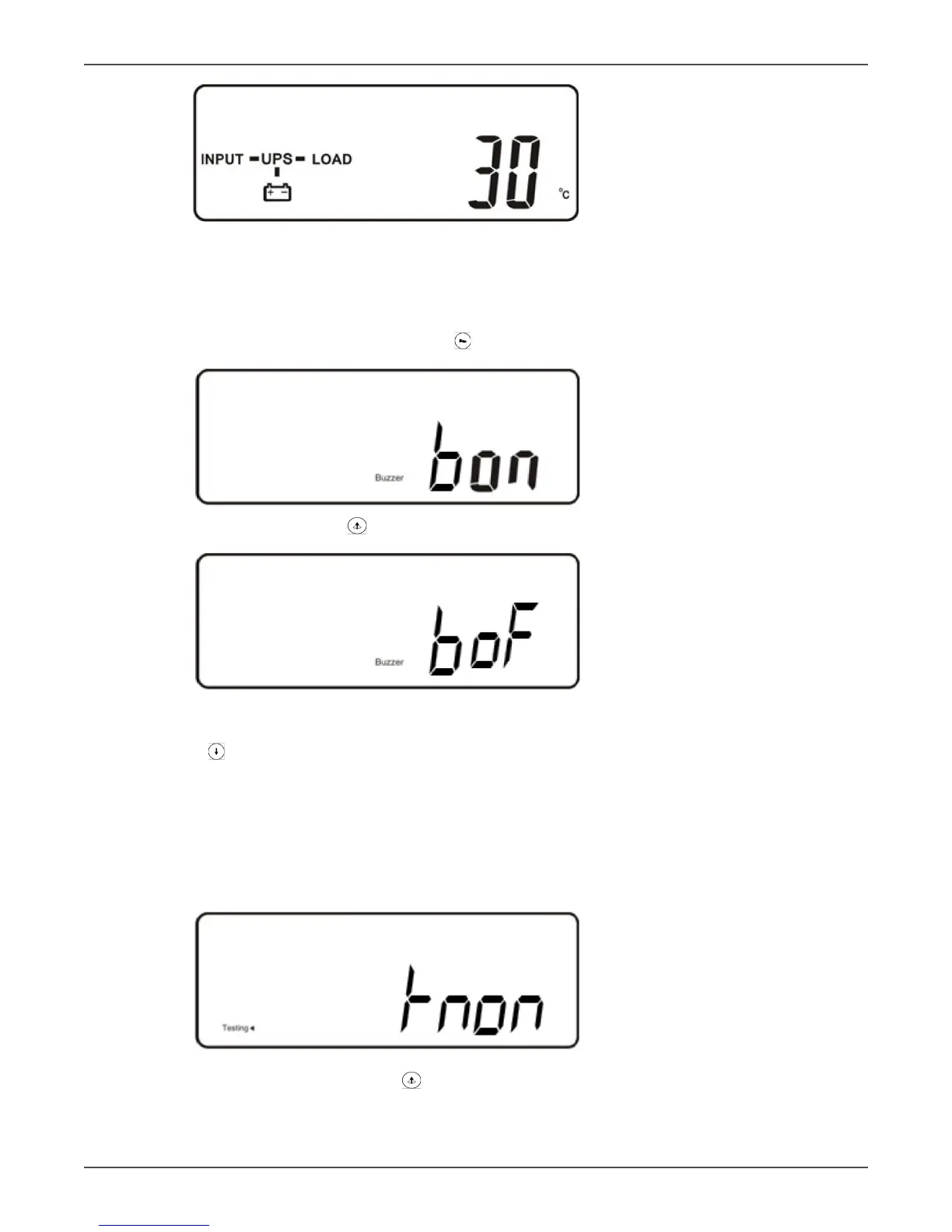
UPS inner temperature
Viewing the UPS Default Sengs
• Aer the UPS completely starts up, press the (funcon) key to change the LCD display to gure Q1.
Q1
Buzzer “On”. Use the key to toggle the seng and then save.
Q2
Buzzer “O”
• Press the key to scroll through the UPS sengs. The LCD will display in sequence gure Q1 (buzzer) →
gure R (Self-test) → gure S (Bypass Voltage Windows) → gure T (Output Frequency Synchronizaon
Window) → gure U (Inverter Output Voltage) → gure V (UPS Operaon Mode) → gure W (Output Volt-
age Micro Tune Value) → gure X (UPS Id) → gure Y (Parallel funcon status).
• Buzzer and Self-test can only be changed in this mode while the UPS is on. All other sengs must be
changed while the inverter is o in this mode. See Changing the UPS Default Sengs on page 22.
• Default sengs shown below.
R
Self-test is not “On”. Use the key to toggle the seng and then save.



 To Next Page