Xtreme Power Conversion Corporaon
TX90 6kVA & 10kVA Service Manual
Page 27
Uninterrupble Power Supply
UPS output waveform to see whether it is stable.
• Change the frequency of Ulity to 56Hz, the UPS will switch to Backup Mode automacally.
• UPS will go back to Ulity mode once the Ulity frequency goes back to 50Hz.
• Connect the control wire of the Charger and push the funcon key to execute self-test, then the UPS
will detect this abnormal condion and display baery abnormal
on the LCD.
• Use Scroll up key pad and Scroll down key pad to see if any abnormal display content or values on
the LCD panel.
• Push key pad for 5 seconds unl buzzer beeps twice, then UPS will shut o and close the input of Ulity.
• Your UPS Unit test is done completely.
UPS Inverter Output Balance Check
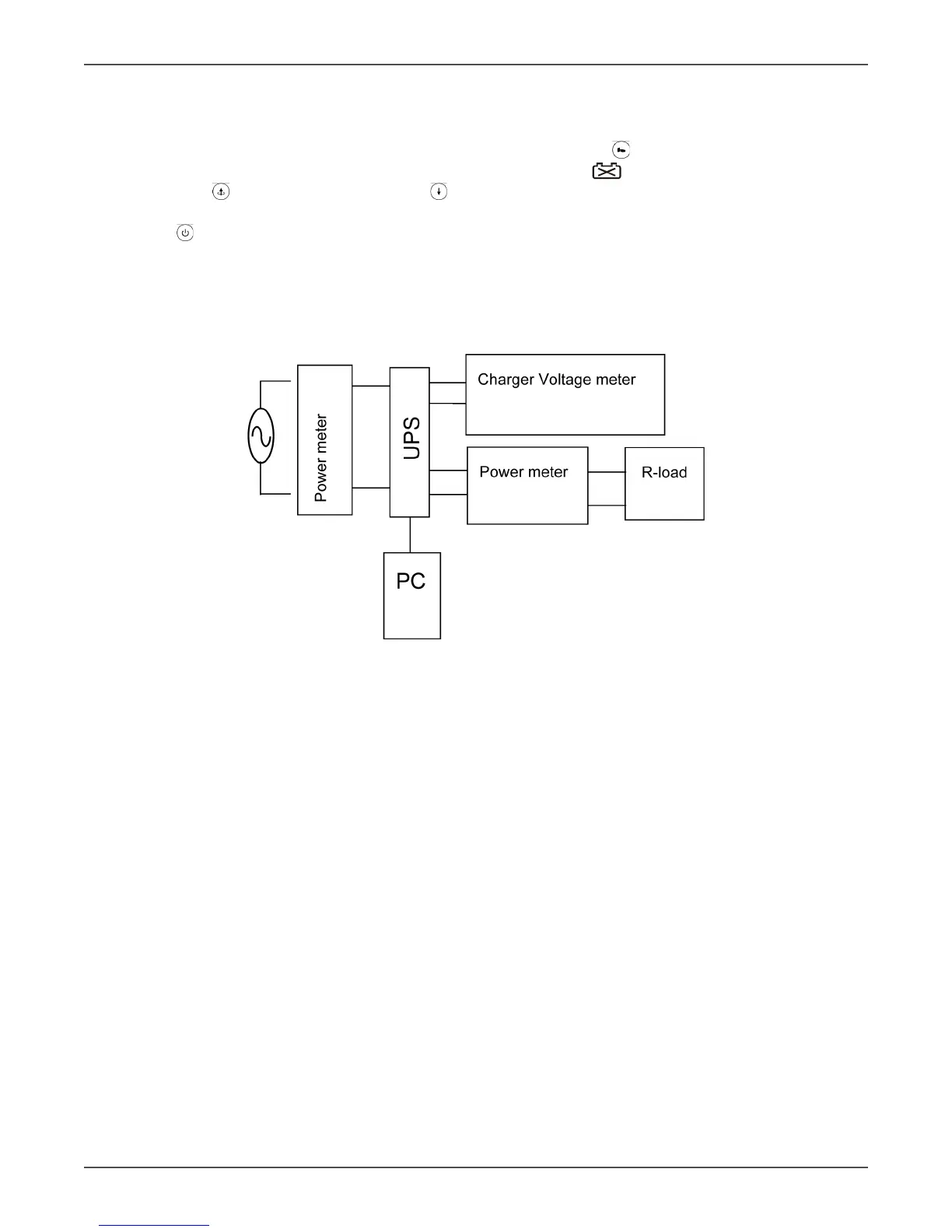
Connect the UPS as shown below
• Disconnect the isolaon transformer if any; otherwise, it is not possible to measure whether the UPS out-
put waveform is in balance or not.
• Connect a 220Vac/50(60)Hz to the UPS to start up the UPS and make sure it is on Line Mode.
• Without output load connected, please connect a xture in parallel.(The xture is made with 1M ohms re-
sistors and 1uF/63V capacitor in serial. Then, measure the two ends of 1uF/63V capacitor to see whether
the DC voltage is below 20mV.
• Connected a 6Kva/4200W resistor load to the output and repeat.
Unit Calibraon and Seng Procedure
General Parameter Seng Procedure
• Please connect the UPS.
• Connect a 50/60Hz 220Vac source to the UPS, start up the Ulity and Bypass breakers on the rear panel as
well the Inverter Switch on the front panel.
• Connect the RS232 cable to the UPS and computer, then execute MSII Seng tool program.(MAKE SURE
THAT THE PROGRAM IS INSTALLED COMPLETELY, BEFORE THIS SETTING PROGRAM IS IN USE.)



 To Next Page