Xtreme Power Conversion Corporaon
TX90 6kVA & 10kVA Service Manual
Page 20
Uninterrupble Power Supply
Z
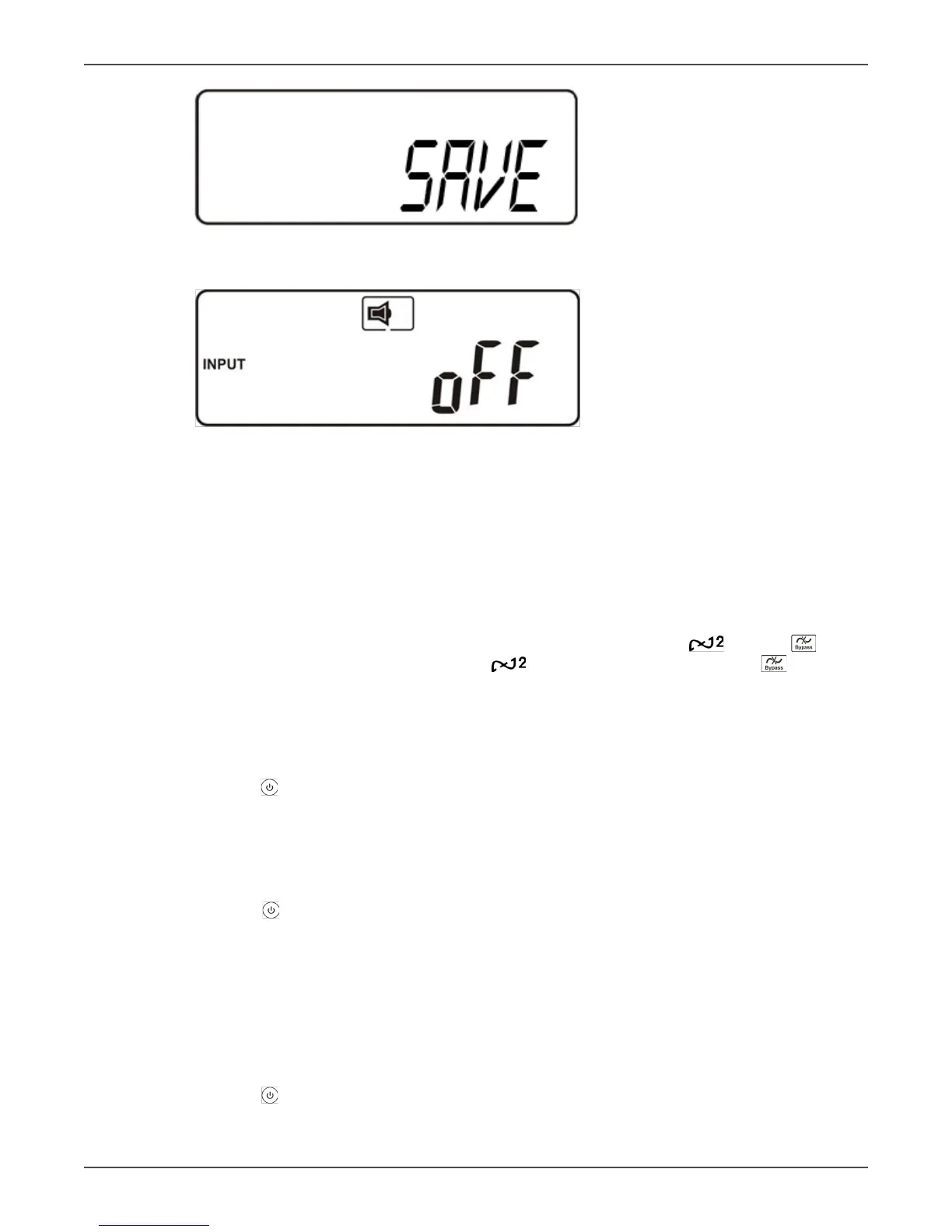
Press the Enter key to save changes.
AA
The UPS is locked.
• Turn O the Ulity Input Breaker
• Your seng changes are now complete.
• Restart the UPS
Troubleshoong when the UPS is O Due to Unknown Reasons
• If there is a serious abnormal condion the UPS will lock itself in the “OFF” posion as shown in gure AA,
and an “abnormal” message will appear on the LCD.
• Aer three seconds all messages will be locked except Bypass messages (LED and LCD ). If the
Ulity is abnormal aer the UPS is locked the LED will be exnguished and the LCD will appear
on the LCD.
• To release the UPS lock proceed as follows:
1. Check the recorded error messages.
2. Check the error messages in the Troubleshoong guide to help troubleshoot the problem. For further
help consult your local distributor.
3. Press the O key for ve seconds. A buzzer will sound twice.
4. Turn O the Ulity Input breaker.
5. Even if the UPS lock problem is solved now, consult with your local distributor to make sure that the
error condion is resolved.
Shut O
1. Press the O key for ve seconds. The Inverter output will be turned o, and the output load will
be supplied by the Bypass loop. The LCD will display gure B.
2. Turn O the Ulity and Bypass Input breakers.
3. The UPS is now turned o completely.
Maintenance Bypass Mode
1. Maintenance Bypass Mode is for UPS maintenance only. Only authorized technicians are allowed to
perform the following procedures. If there is any damage during unauthorized execuon of these pro-
cedures your warranty will be void immediately.
2. Press the O key for approximately ve seconds. The LCD will display gure B, and the UPS output
will be in bypass mode.
3. Remove the cover of the CAM Switch (Maintenance Bypass Switch), then turn on the CAM Switch to



 To Next Page