45
Using the Memory
A Wide Variety of Memory Functions
Recalling Home Channel
1
Press F and then 4.
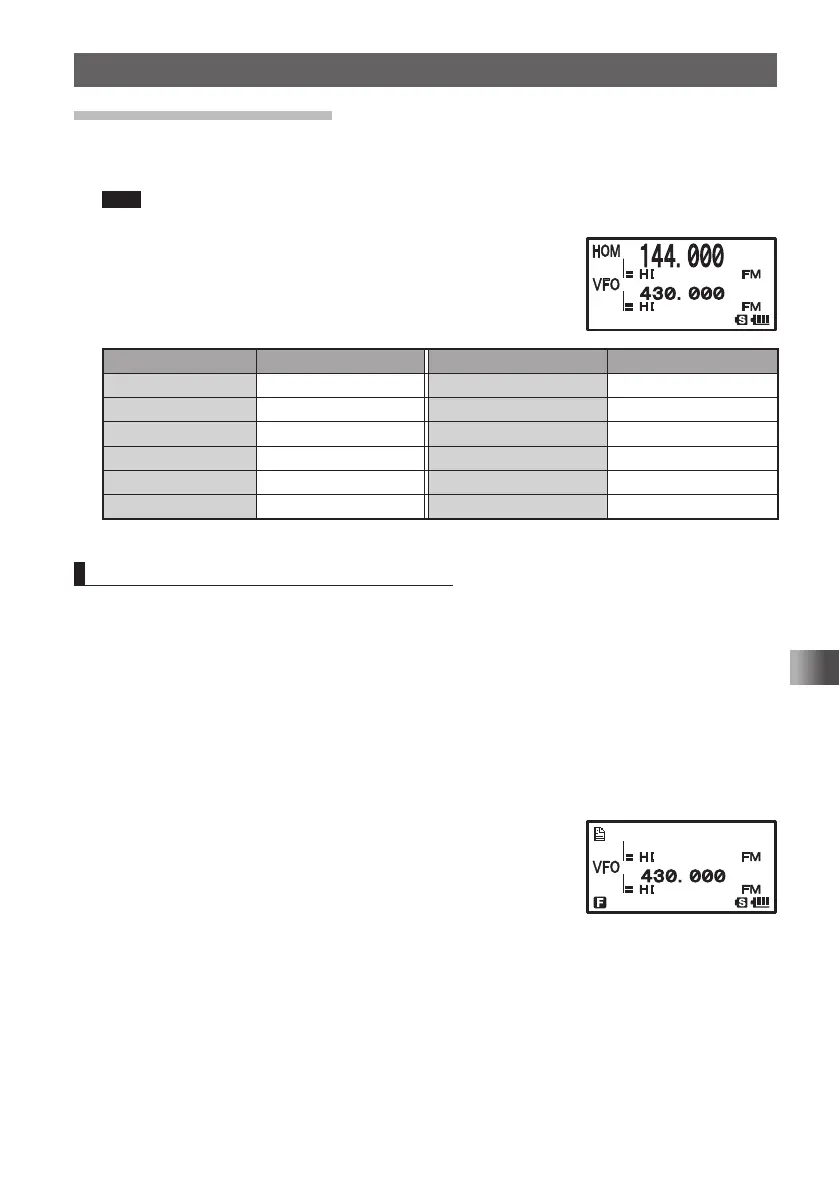
The home channel of the currently selected frequency band appears on the LCD.
Tips • For the relationship between the frequency bands and the home channel frequencies, see
the table on the next page.
• Selecting a frequency by turning O allows you to return to
the VFO mode.
Frequency band Frequency Frequency band Frequency
AM BC Band 540 kHz 174 to 222 MHz band 174.000 MHz
FM BC Band 76.000 (88.000) MHz (INFO band (1)) 222.000 MHz
(SW band) 1.800 MHz 430 MHz band 446.000 (430.000) MHz
50 MHz 50.000 MHz 470 to 770 MHz band 470.000 MHz
(AIR band) 108.000 MHz Information radio band (2) 860.000 MHz
144 MHz band 146.520 (144.000) MHz
( ): EXP/European version
Returning to the Previous Frequency
1 Press F and then 4
The frequency used before recalling the home channel appears on the LCD.
O Changing Home Channel Frequency
You can change a default home channel frequency.
1 Switch to the VFO mode.
2 Turn O to select a frequency.
Select a frequency to change.
3 Press and hold F for over 1 second to enter the Write mode.
4 Press D.
“OVERWRITE?” appears on the LCD for about 5 seconds.
5 Press D.
When the home channel frequency has been overwritten
by a new frequency, the home channel frequency of the
selected frequency band is changed.
䎲䎹䎨䎵䎺䎲䎹䎨䎵䎺䎵 䎬 䎷䎨䎢䎷䎨䎢
FT1DRDEEng.indb45FT1DRDEEng.indb45 13/06/2815:1613/06/2815:16



 To Next Page