73
Using the GPS Function
Explanation of GPS Screen and Operation
Tips
• You can change the unit of GPS data by selecting [9 APRS] [22 GPS UNIT] in the Set mode.
• When the GPS function is used, the accurate time data (date and time) obtained from GPS
appears on a 24 hour basis. This time data is reflected in the time data displayed on the GPS and
APRS screens.
• You can change the geodetic system of the built-in GPS unit by selecting [9 APRS] [19 GPS
DATUM] in the Set mode. However, since APRS uses the geodetic system of WGS-84, it is
recommended not to change it.
• You can set the time zone by units of 30 minutes by selecting [9 APRS] [28 TIME ZONE] in the
Set mode (Default: Japanese time zone).
• When the GPS function is active, the power consumption increases by about 30 mA. As a result,
the battery life is reduced by about 20% compared to when the GPS function is deactivated.
• You can obtain position information from a external GPS device by selecting [9 APRS] [17
COM PORT SETTING] and then setting [INPUT] to [GPS] in the Set mode. In this case, the data
obtained from the internal GPS is disabled.
• When using an external GPS device, keep it away from the transceiver.
Smart Navigation Function
Using the Smart Navigation Function
There are 2 methods of navigation with the Smart Navigation function.
(1) Real-time navigation function
(2) Backtrack function
O Real-Time Navigation Function
GPS position information and voice signals are simultaneously transmitted in the V/D
mode of C4FM digital.
For this reason, the position and direction of the remote station can be displayed in real-
time even during communication.
1 Press M to open the GPS screen.
2 Turn O to select [YR].
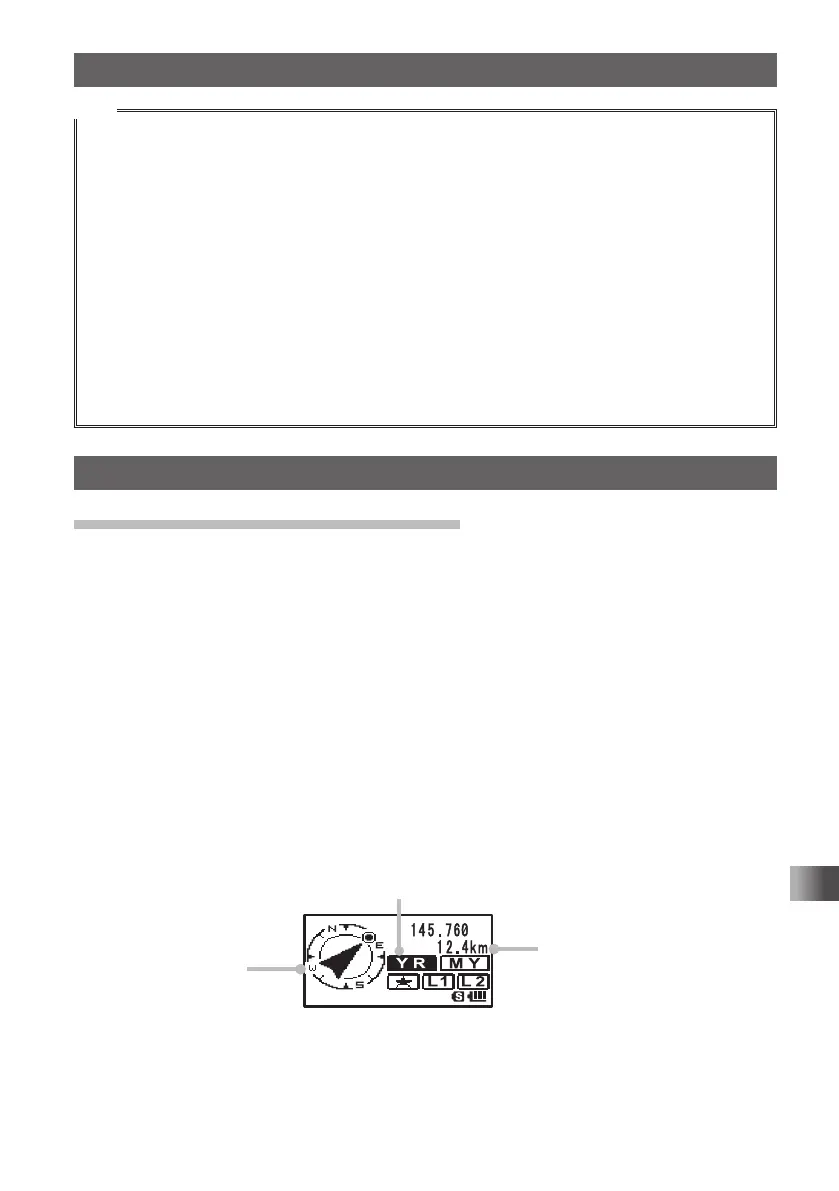
The distance and direction to the remote station operating on the same frequency in
the V/D mode is displayed.
Display of remote station position
Distance to remote station
Direction display
3 Press M.
The screen returns from the navigation screen to the normal frequency display.
FT1DRDEEng.indb73FT1DRDEEng.indb73 13/06/2815:1613/06/2815:16



 To Next Page