46
Using the Memory
A Wide Variety of Memory Functions
Deleting Memory Channel
1
Switch to the Memory mode.
2 Press and hold F for over 1 second.
3 Turn O to select the memory channel to delete.
4 Press H.
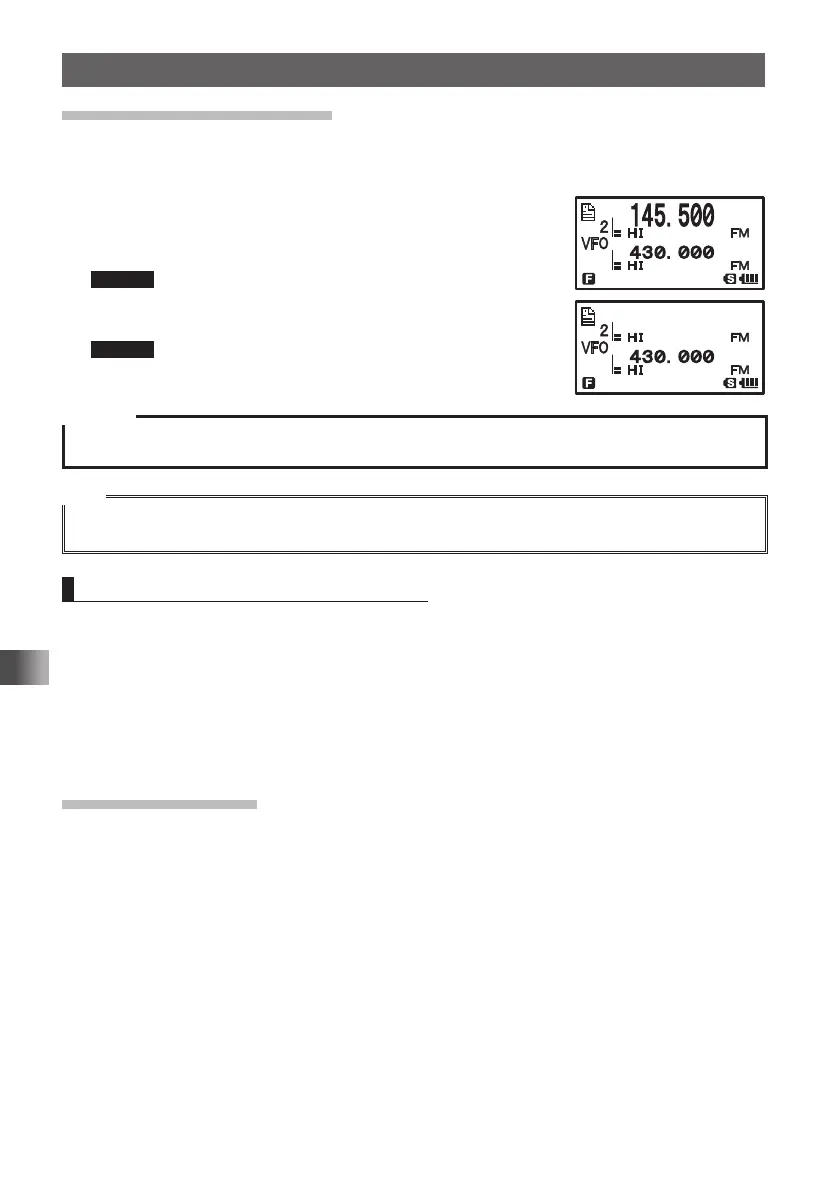
“DELETE?” appears on the LCD for about 3 seconds.
Remark To cancel the memory channel deletion operation, press
F.
5 Press H to delete the memory channel.
Remark To delete other memory channels, repeat steps 2 through
5.
Caution
z Memory channel 1 cannot be deleted.
Tips
The memory channel specified as a priority memory channel cannot be deleted. To delete a priority
memory channel, specify it as a regular memory channel, then delete it.
Restoring Deleted Memory Channel
You can restore a deleted memory channel.
1 Switch to the Memory mode.
The last used memory channel appears.
2 Press and hold F for over 1 second.
3 Turn O to select the memory channel to restore.
4 Press H to restore the deleted memory channel.
Using Memory Tag
Memory channels and home channels can be assigned a name (memory tag) such
as a callsign or broadcast station name. A memory tag can be specified with up to 16
characters. The following types of characters can be entered:
• Alphabetic characters (uppercase and lowercase characters)
• Numeric characters (numbers) • Symbols
䎧䎨䎯䎨䎷䎨䎢䎧䎨䎯䎨䎷䎨䎢
FT1DRDEEng.indb46FT1DRDEEng.indb46 13/06/2815:1613/06/2815:16



 To Next Page