56
Scanning Function
Scanning Function
Using the Scanning Function
The FT1DR/DE supports the following four scan modes:
(1) VFO Scan
(2) Memory Channel Scan
(3) Programmable Memory Channel Scan
(4) Selected Memory Channel Scan
VFO Scan
1
Switch to the VFO mode, and then select a band to scan.
2 Press F and then 2 to start scanning (SCAN) toward
higher frequencies.
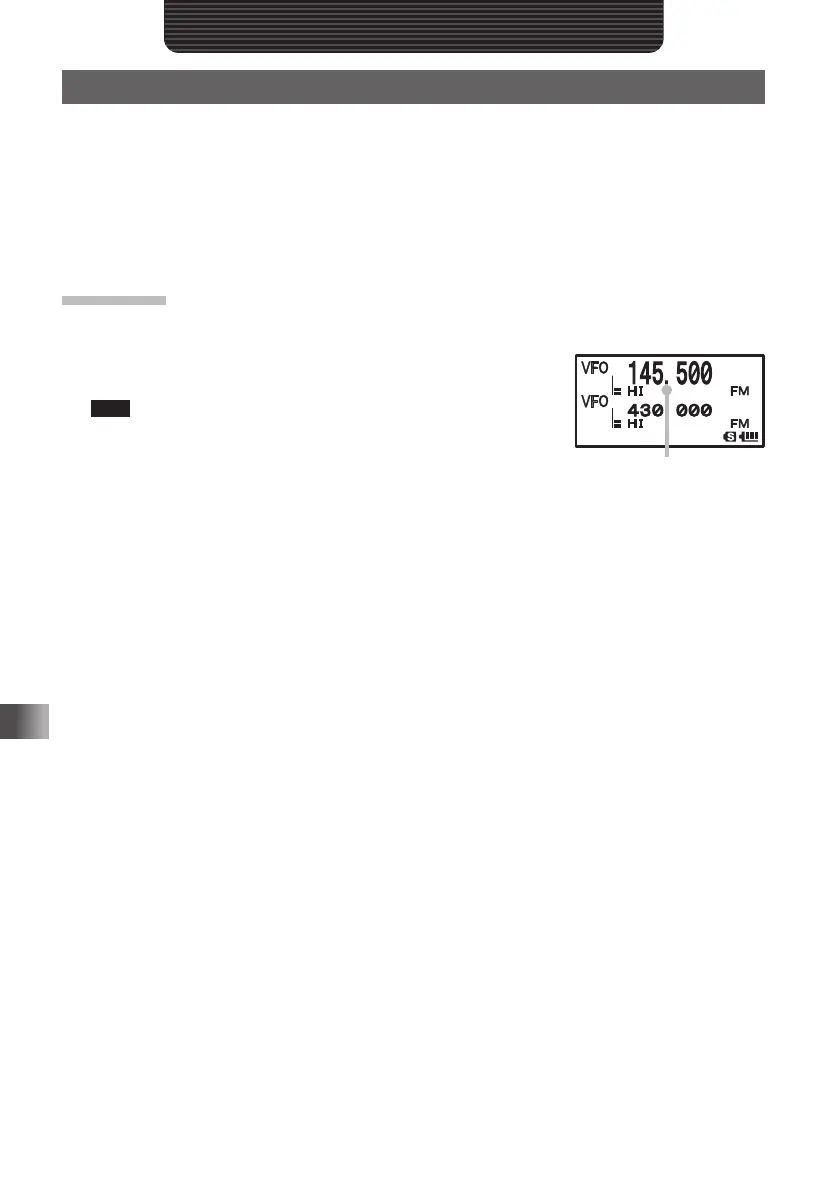
Tips When a signal is received during scanning, the decimal point
blinks.
Turn O clockwise: Scanning is performed toward higher
frequencies.
Turn O counterclockwise: Scanning is performed toward
lower frequencies.
When a signal is received during scanning, a beep is emitted and its frequency appears for 5
seconds. When scanning is suspended, the decimal point blinks and the LCD stays lit. After
receiving the signal for 5 seconds, scanning resumes.
The range for scanning can be selected by selecting the Set mode options [5 SCAN WIDTH]
and then [5 SCAN] .
When a signal is received,
the decimal point blinks.
FT1DRDEEng.indb56FT1DRDEEng.indb56 13/06/2815:1613/06/2815:16



 To Next Page