20
Chapter 1: Getting Started
.
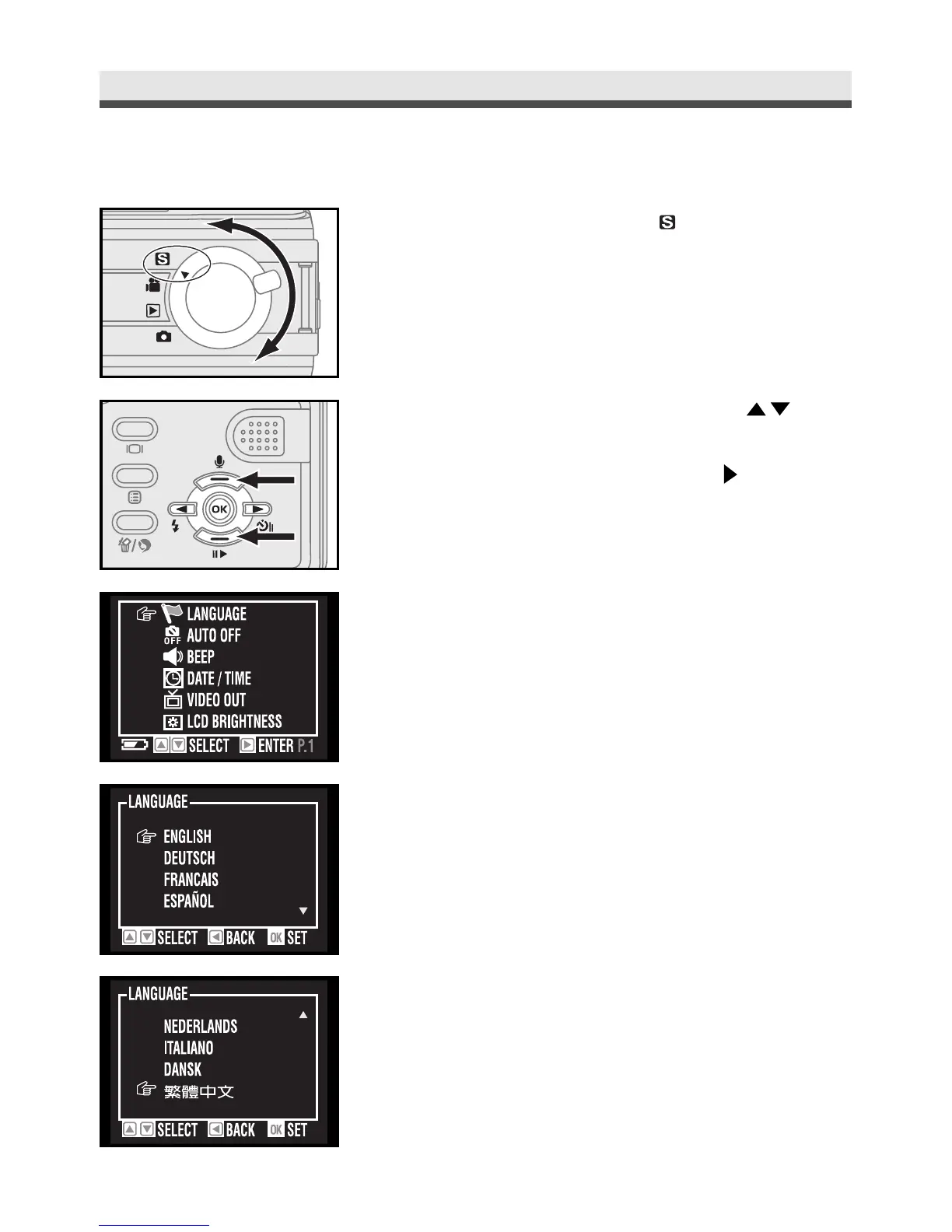
Selecting the Language
1
Rotate the mode dial to "Set up".
2
Scroll through the menu by using on
the four-way key and move to "Language".
Enter the submenu by pressing on the
four-way key.
3
Select the language you need and then press
"OK" to confirm the setting.



 To Next Page