51
Using the Playback Menu
.
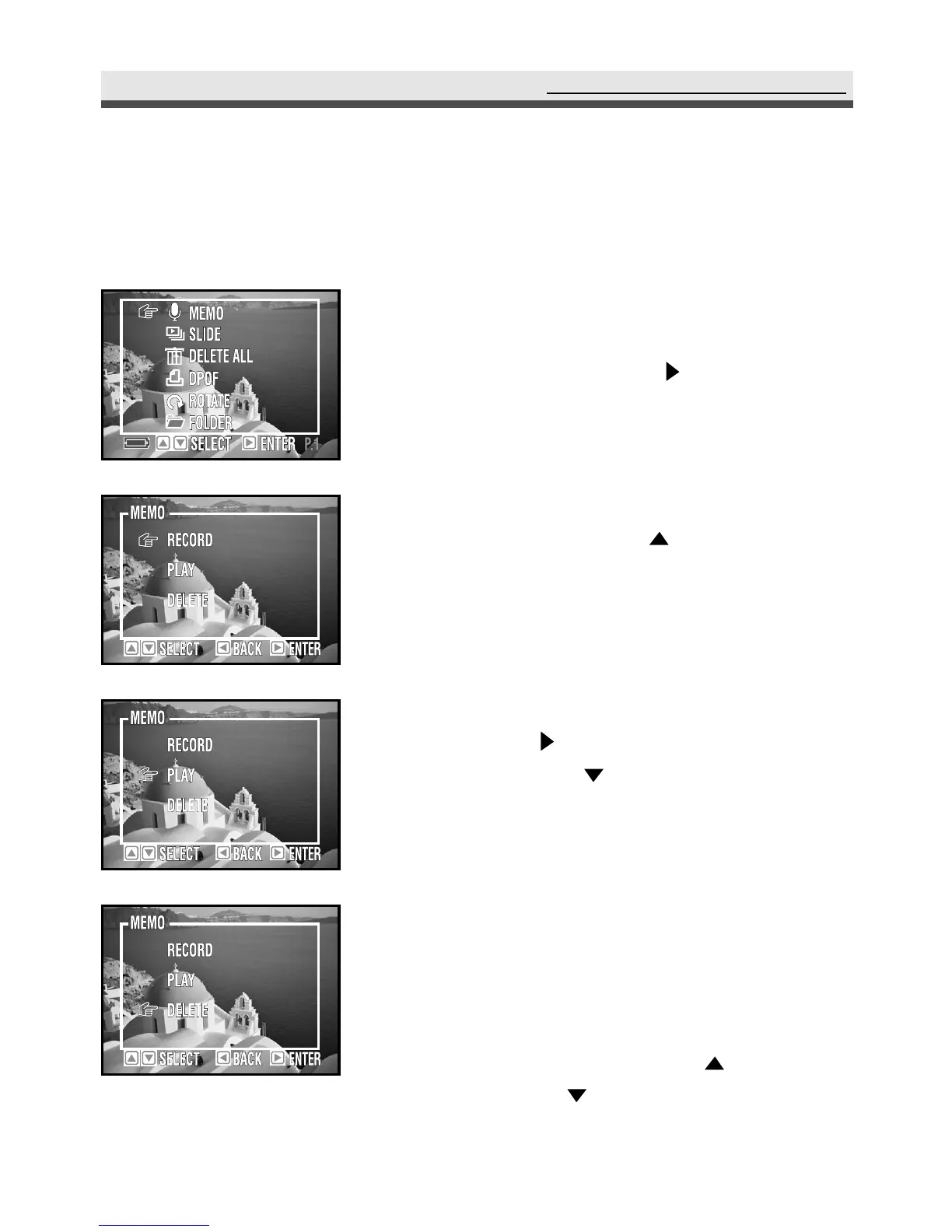
Recording Audio Clips for Still Images
You can record an audio memo for each still picture.
1
First, select one picture that you want to add
an audio clip to. In the playback menu, select
"Memo" and then press on the four-
way key.
2
To record an audio memo, select "Record".
In the submenu, press the four-way key
to start/stop recording.
3
To play an audio memo, select "Play" and
then press on the four-way key. In the
submenu, press on the four-way key to
pause/start and press "OK" to stop playing.
4
To delete a memo, select "Delete".
Note : You can also record audio memos in play-
back mode by directly using (recording
memos) and (play/pause memos) on the
four-way key without entering the menu.



 To Next Page