66
Chapter 4: Installing the Software
.
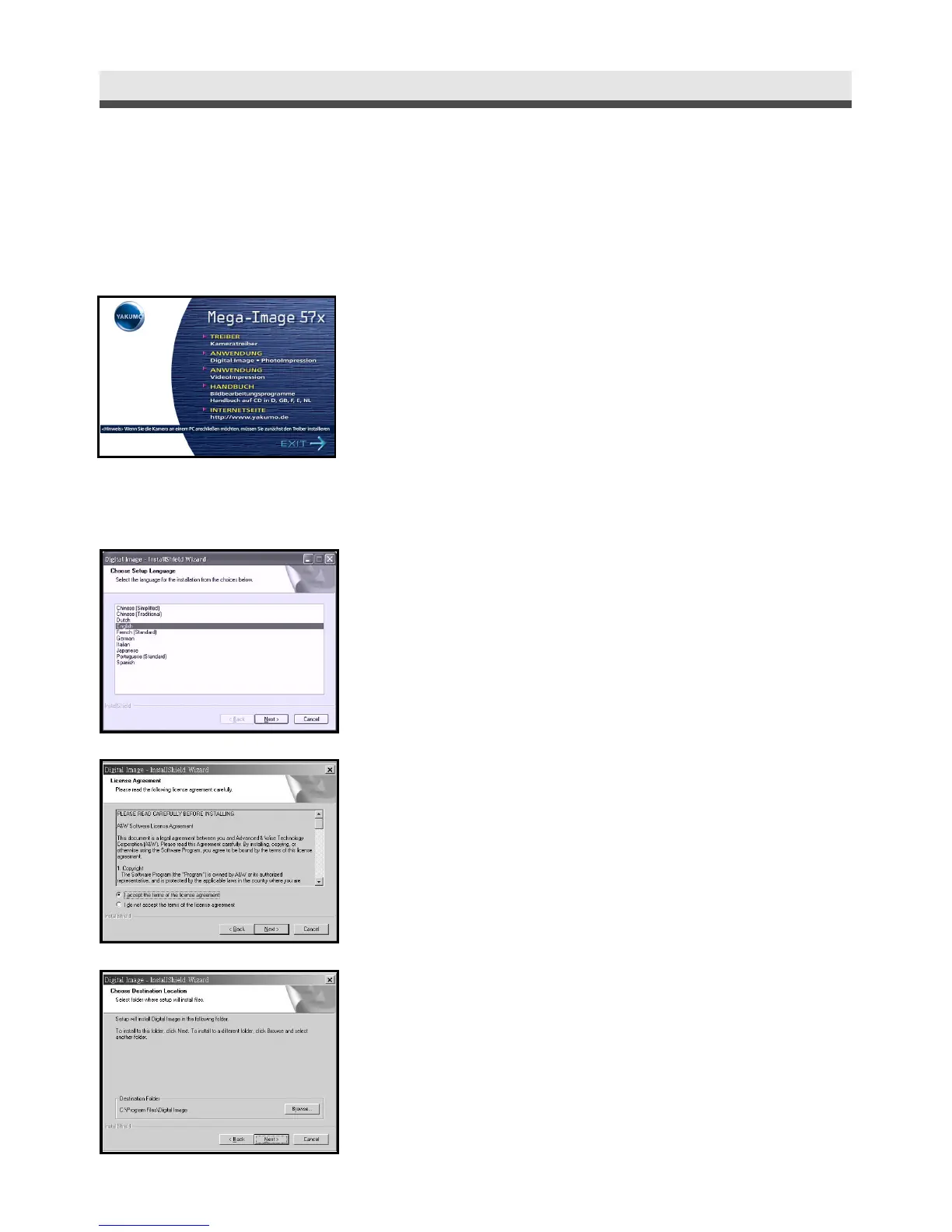
Installing the Application ( Windows )
1
Turn on the computer and then insert the
software CD into the CD-ROM.
2
After you insert the CD into the CD-ROM
drive, the first Install window will appear.
If the install window doesn’t appear, click
"Start" and then "Run". Type "E:\ YAKUMO.
exe" E is the drive letter that contains the
software CD.
Click "Digital Image • PhotoImpression".
3
Select a language and click "Next". Follow
the on-screen instruction to continue the
installation.
4
Accept the license agreement and then click
"Next".
5
Click "Next". Follow the on-screen instruc-
tion to continue and finish the installation.



 To Next Page