39
Using the Capture Menu
1
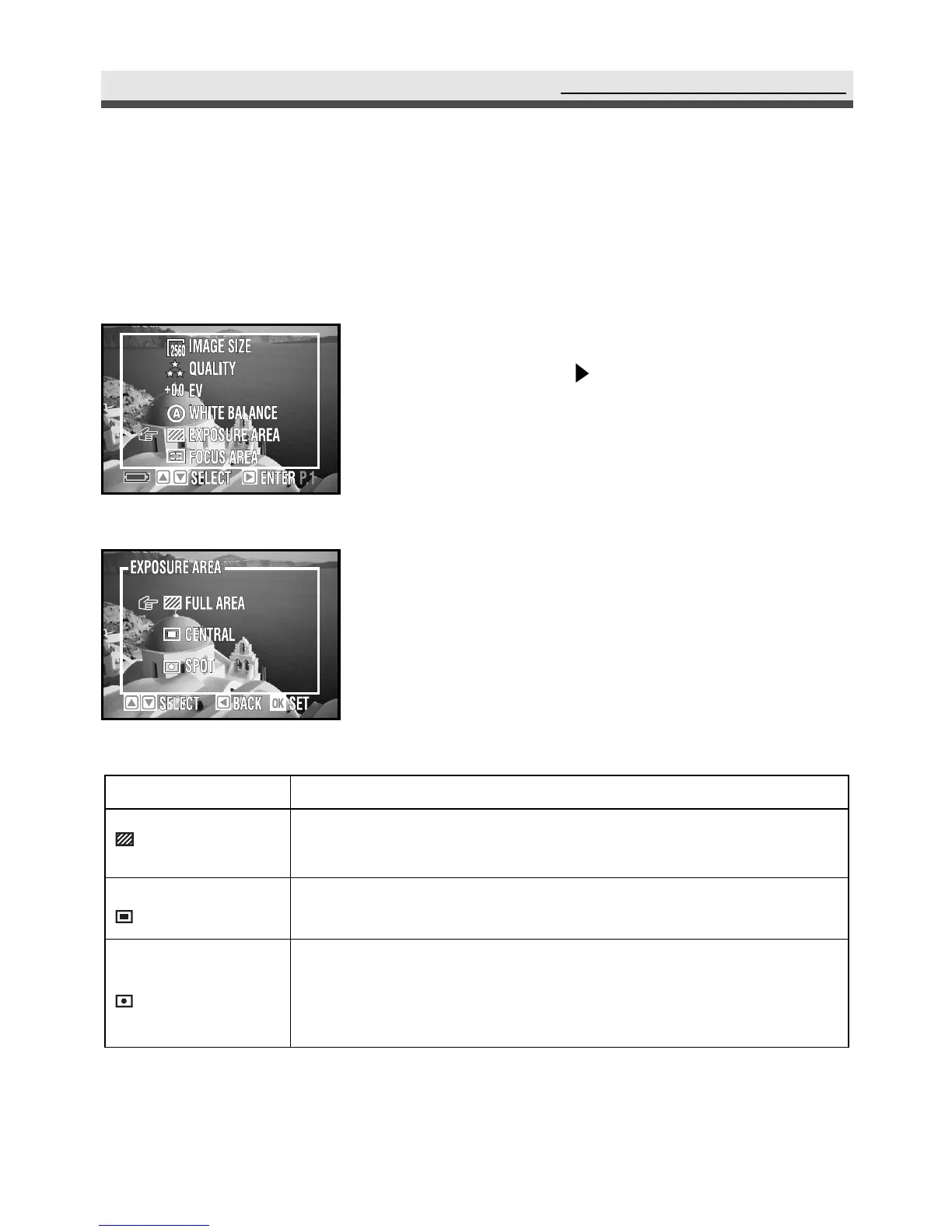
In the capture menu, select "Exposure Area"
and then press on the four-way key.
2
Select "Full Area","Central" or "Spot".
3
Press "OK" to confirm the setting.
.
Setting Exposure Area
This camera provides you with three exposure-metering modes to gain proper
exposure.
Mode
Full Area
Central
Spot
Function
Meters the EV from the whole picture area. You can use
this mode in most cases.
Measures the EV from the large area in the center of the
whole picture area. You can use this mode in most cases.
Meters the EV from a circular area (about in 3-5mm) in
the middle of the LCD monitor. Use this mode to shoot
pictures with a specific exposure area.



 To Next Page