EasyManua.ls Logo

YAKUMO Mega-Image 57x - Resetting Your Camera

Default Icon
94 pages
Print Icon
To Next Page IconTo Next Page
To Previous Page IconTo Previous Page
Loading...
87
.
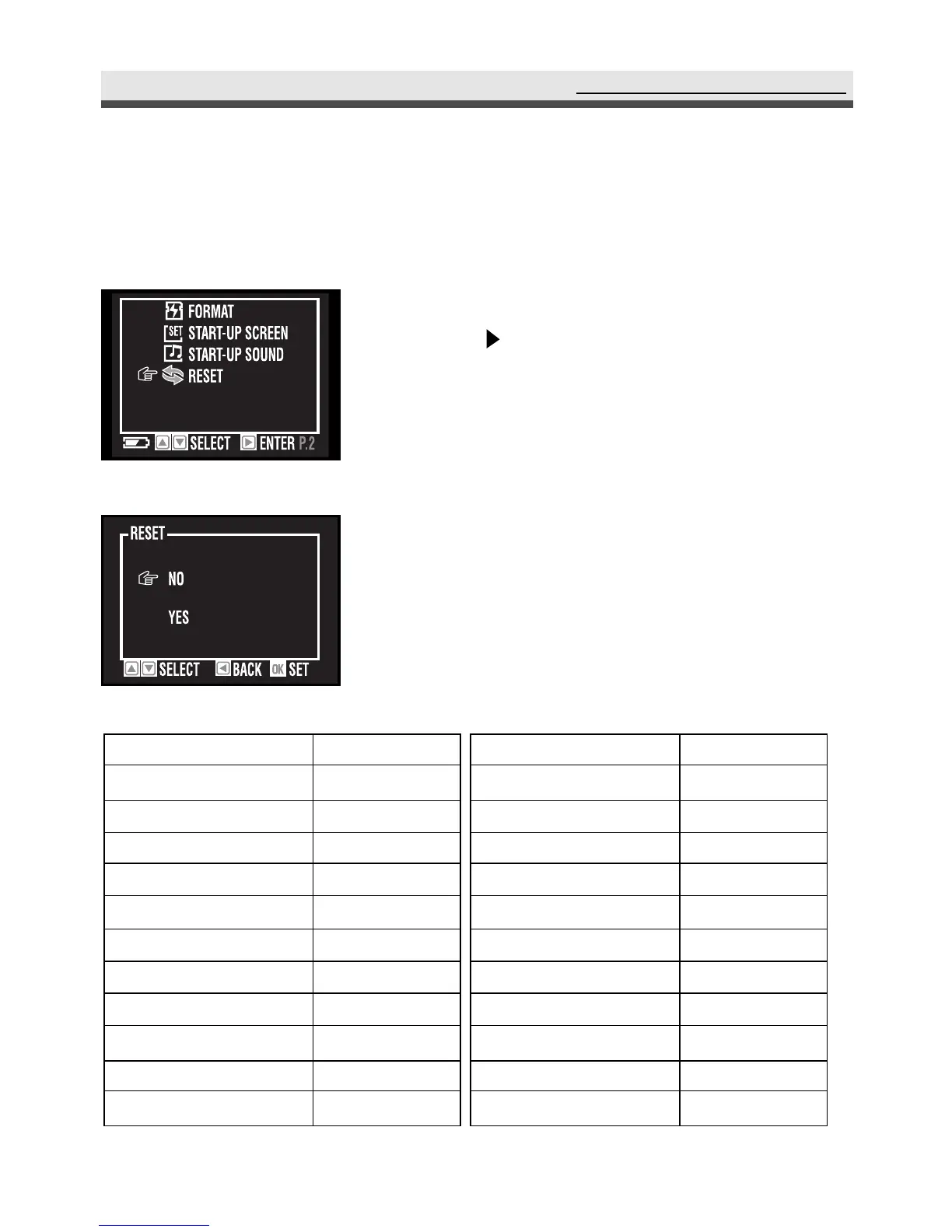
Resetting Your Camera
You can restore the settings to default by using "Reset" function.
Using the Set Up Menu
1
In the set up menu, select "Reset" and then
press on the four-way key.
2
Select "Yes" or "No".
3
Press "OK" to confirm the setting.
Setting
Image Size
Quality
Exposure Compensation
Drive Mode
White Balance
Exposure Area
Focus Area
ISO
Sharpness
Saturation
Style
Default
2048 x 1536
Best
0.0
Single
Auto
Central
Central
Auto
Normal
Normal
Normal
Setting
Flash Mode
Self-timer
Focus Mode
Slide Show Interval
Auto Off
Beep
Video Out
LCD Brightness
Language
Default
Auto
Off
Auto
3 Sec
10 Min
Off
PAL
5
English

Table of Contents