76
Chapter 5
Uploading, Printing and Displaying Images
After you take pictures, you can upload images to a computer from your
camera, print them with a printer, and display them on a TV.
Uploading to a Computer
1
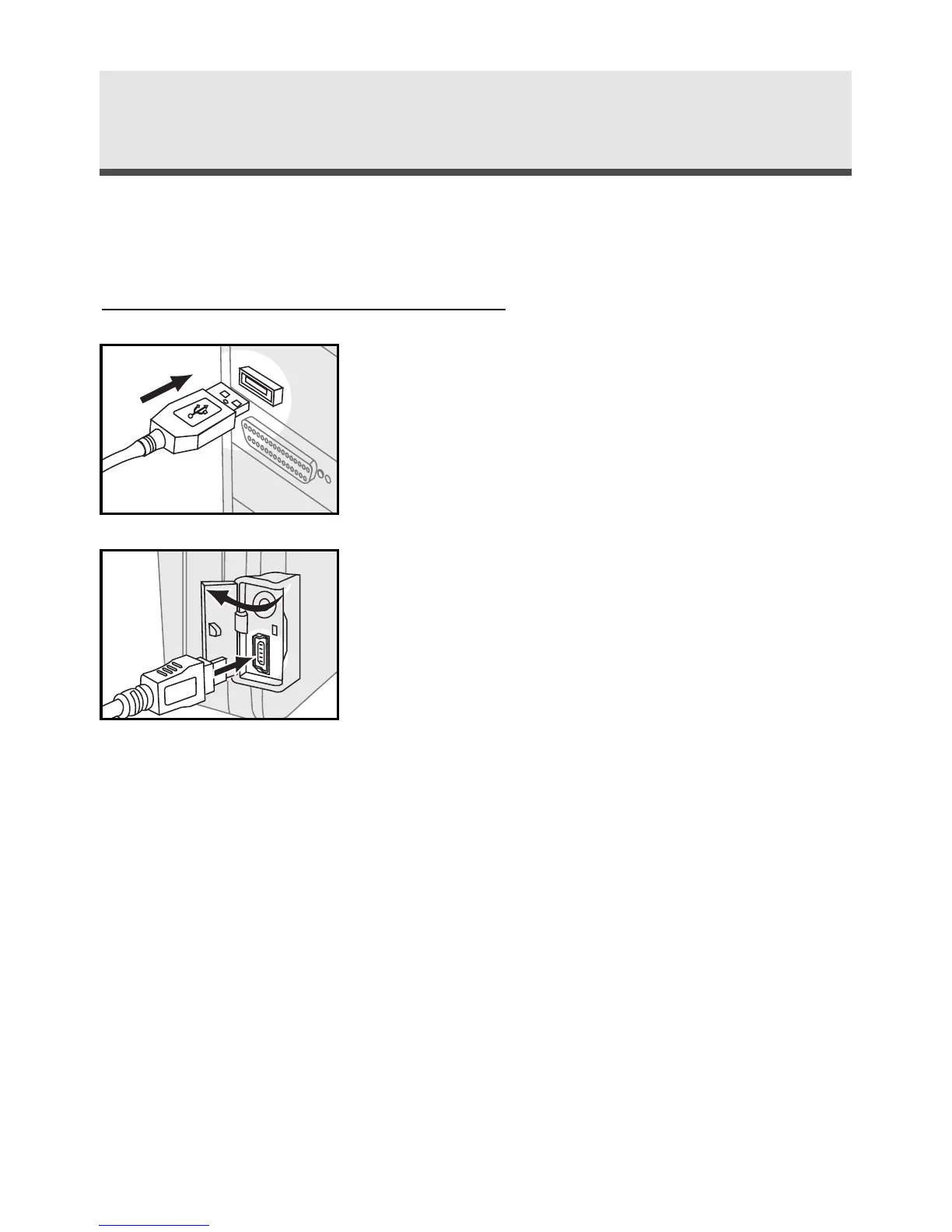
Connect the larger end of the USB cable to
the USB slot of a computer.
2
In any mode, open the terminal cover and
connect the small end of the USB cable to
the camera.
3
The computer automatically detects the
camera as a mass storage device so that you
can copy the image file from your camera to
the hard drive of a computer.
Note 1: Upon connecting the camera to a
computer, the LCD monitor turns off
automatically.
Note 2: If you use Windows 98/98SE as the OS in
your computer, you have to install USB
driver from the software CD-ROM.



 To Next Page