54
.
Setting DPOF (Digital Print Order Format)
DPOF allows you to set the print order format of still images.
Chapter 3: Reviewing Images and Video Clips
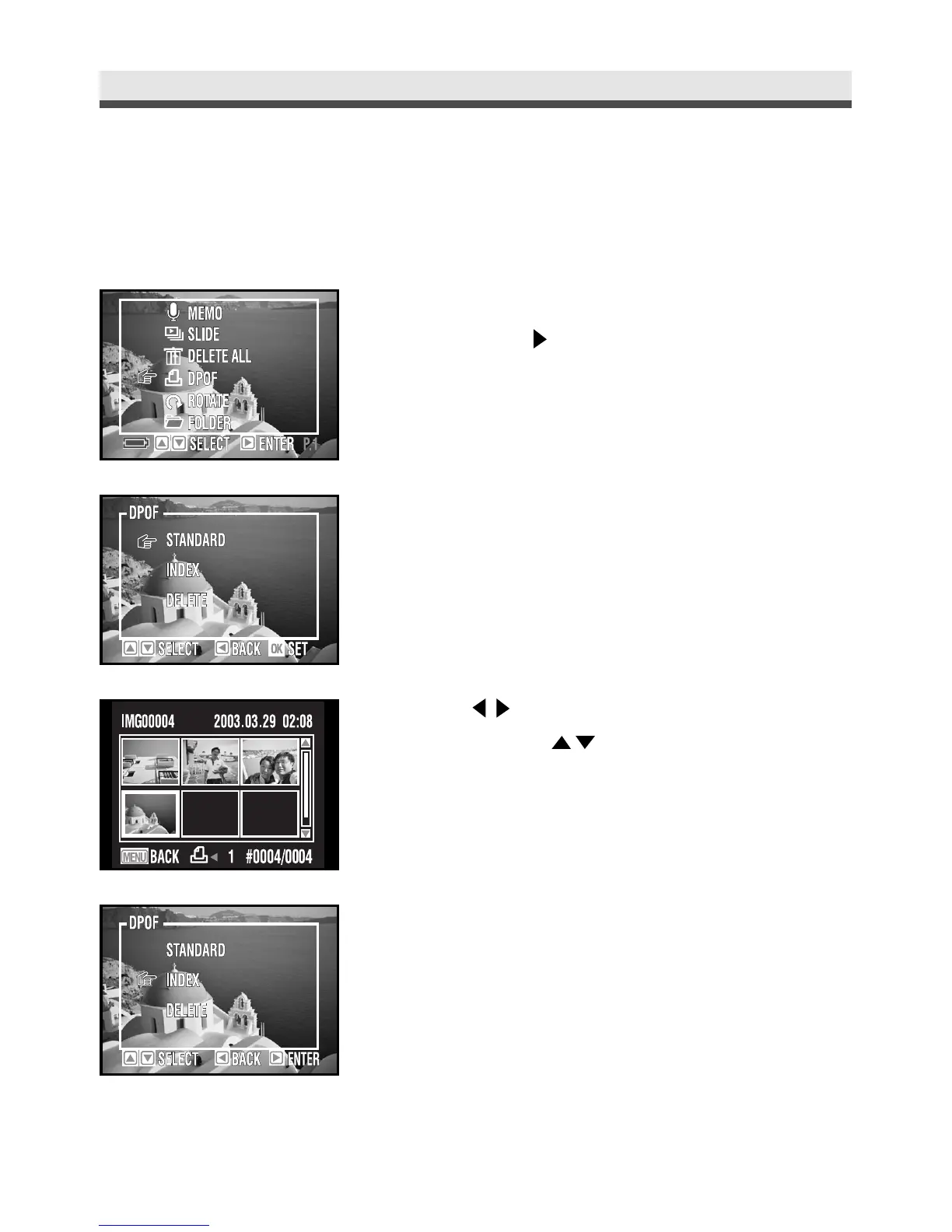
1
In the playback menu, press "DPOF" and
then press on the four-way key.
2
To decide which picture to print and the
number of copies, select "Standard"and
then press
"OK"
.
3
Use on the four-way key to select the
pictures and on the four-way key to
adjust the numbers of copies.
4
To print index of pictures, select "Index".



 To Next Page