MULTI-FUNCTION DISPLAY
1-29
Correcting tire diameter
• Correction can be made any time while timer
measurement is or is not being made.
• Change in the travel distance display will be
accompanied by the change in the tire’s dia-
metric percentage.
• Even back in BASIC MODE, the tire diameter
set in RACE MODE will be retained.
• Correction to the tire diameter is impossible if
the tripmeter indicates “0”.
• If the machine is run while the tire diameter is
being corrected, the tire’s diametric correction
will be cancelled forcedly.
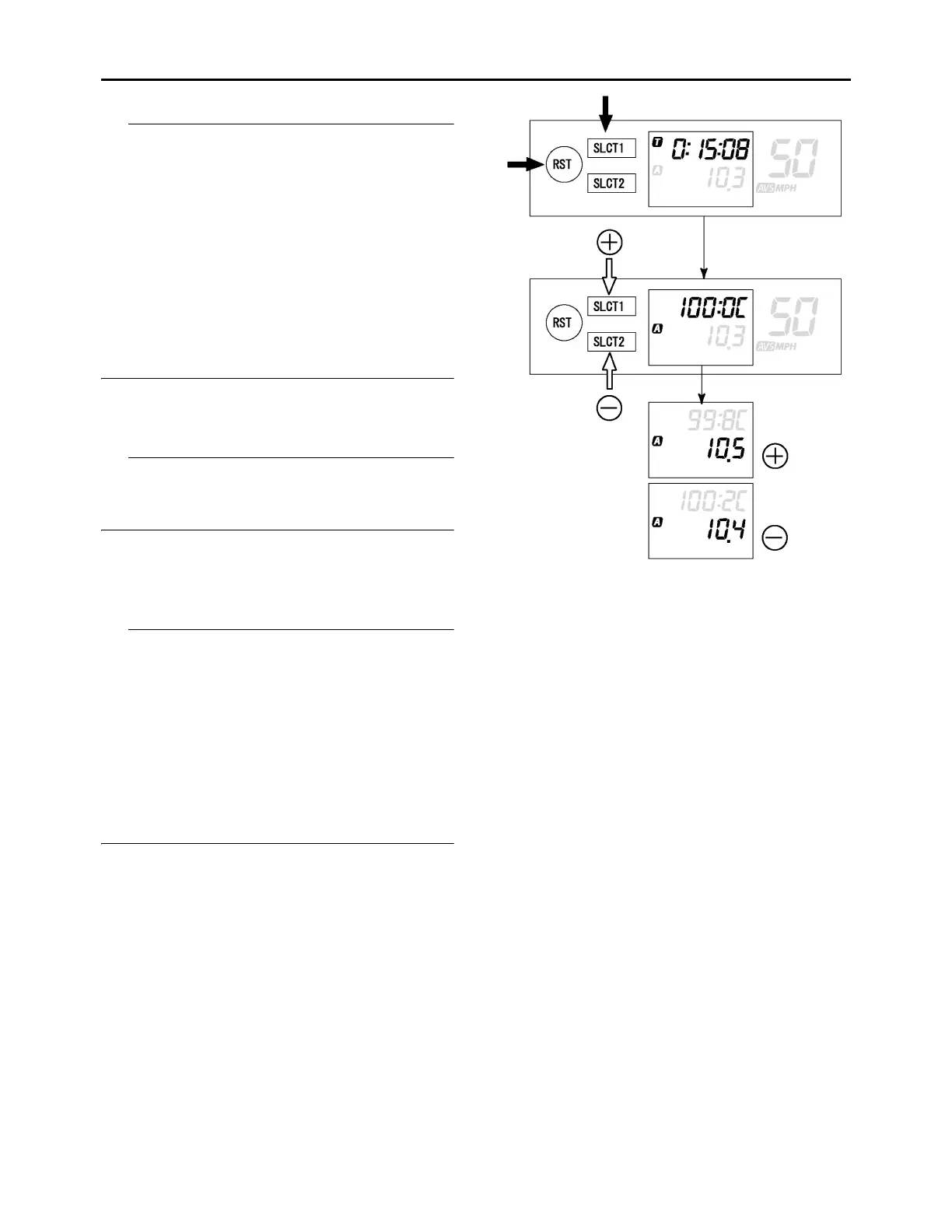
1. Push the “SLCT1” button and “RST” button
for 2 seconds or more at the same time and
enter tire diameter correction mode.
Changeover to tire correction mode will cause
the timer display to change and show the dia-
metric digit of the tire.
2. Change the digits of the travel distance by
pushing the “SLCT1” button (plus) or
“SLCT2” button (minus). A long push on the
button will fast-forward the change in digits.
• Change in the digits of the travel distance will
be accompanied by the change in the tire’s di-
ametric percentage.
• Colon (:) in the tire diameter display represents
the decimal marker.
• If the tire diameter extends beyond the set
range (65.0 to 115.0 %), the error indicator “E”
lights up for two seconds. After “E” goes off, the
minimum (65 %) or maximum (115 %) will be
automatically set.
3. Push the “SLCT1” button and “RST” button
for 2 seconds or more at the same time will
finish the setting.



 To Next Page