MyPBX Standard Administrator Guide
115
Reports
MyPBX provide reports including call logs and system logs. Important system events
can be monitored on MyPBX and users could download the system logs.
Call Logs
System Logs
Packet Capture Tool
DAHDI Monitor Tool
Call Logs
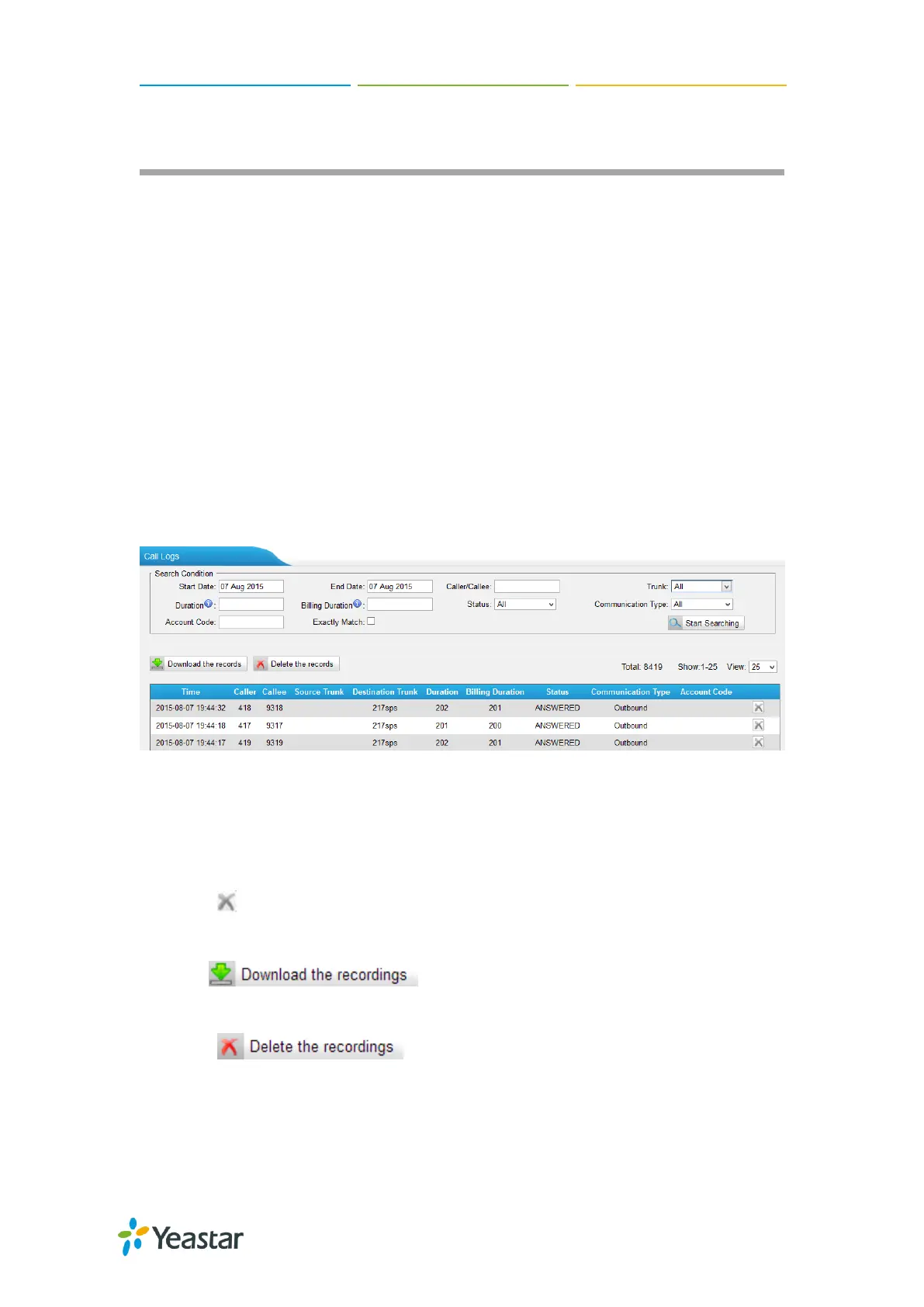
The call Log captures all call details, including call time, caller number, callee number,
call type, call duration,etc. An administrator can search and filter call data by filter the
call logs by call date, caller/callee, trunk, duration, billing duration, status,
communication type.
Figure 22-1 Call Log List
Search
The administrator can search and filter call data by specifying the call date,
caller/callee, trunk, duration, billing duration, status, communication type.
Delete
Click to delete the chosen record.
Download Searched Results
Click to export the filtered records to a .csv file.
Delete Searched Results
Click to delete the filtered records.
System Logs
The MyPBX Standard supports to monitor important system logs, including hardware



 To Next Page
 Loading...







