OPERATION
Carl Zeiss Switching the System on Cell Observer SD
52 423638-7044-001 M60-2-0021 e 01/2009
4.2 Switching the System on
4.2.1 Turning the CSU-X1 Spinning Disc
Unit On
• Switch the microscope on.
Set reflector turret position must be empty!
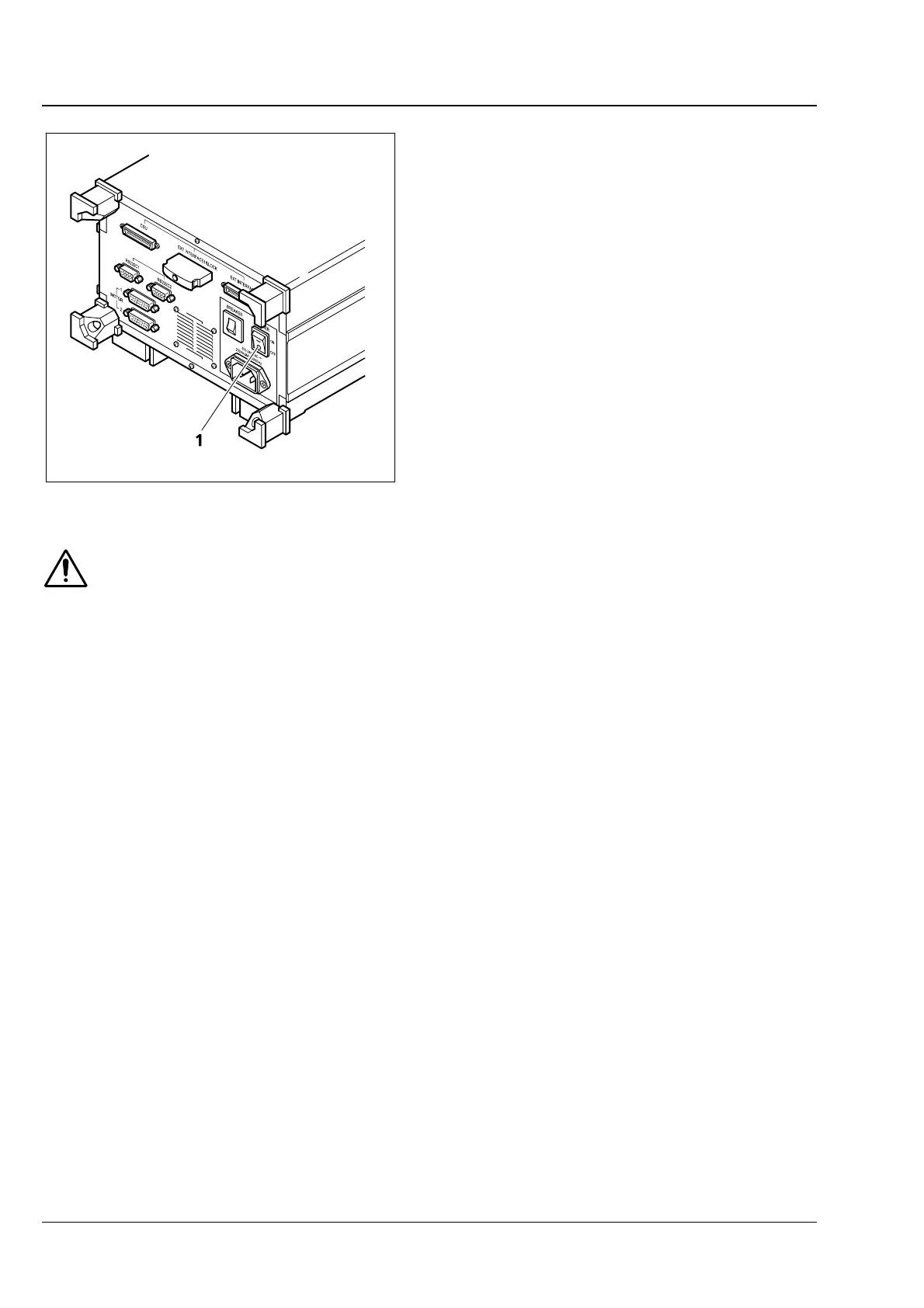
• Transfer main power switch of the CSU-X1
control box into ON position (
Fig. 4-4/1).
• Select a suitable emission filter. Refer to
section
4.6 for details regarding conversion to
another emission filter.
• Turn the key switch at the spinning disc unit
(
Fig. 4-1/2) to position ON. The green control
LED (
Fig. 4-1/3) will light.
• Turn the laser on (refer to sections
4.2.2 and
4.2.3).
If the safety device is found to function in a non-conforming manner, you should shut the
system down, clearly mark it as defective and contact the Service Department of Carl Zeiss
MicroImaging GmbH immediately.
Fig. 4-4 Turning the CSU-X1 control box on







 To Next Page