OPERATION
Carl Zeiss Mounting the Filter Wheel Cell Observer SD
58 423638-7044-001 M60-2-0021 e 01/2009
4.8 Mounting the Filter Wheel
• Use the key switch (
Fig. 4-1/2) to turn the
spinning disc unit off.
• Remove the power plug from the power pack.
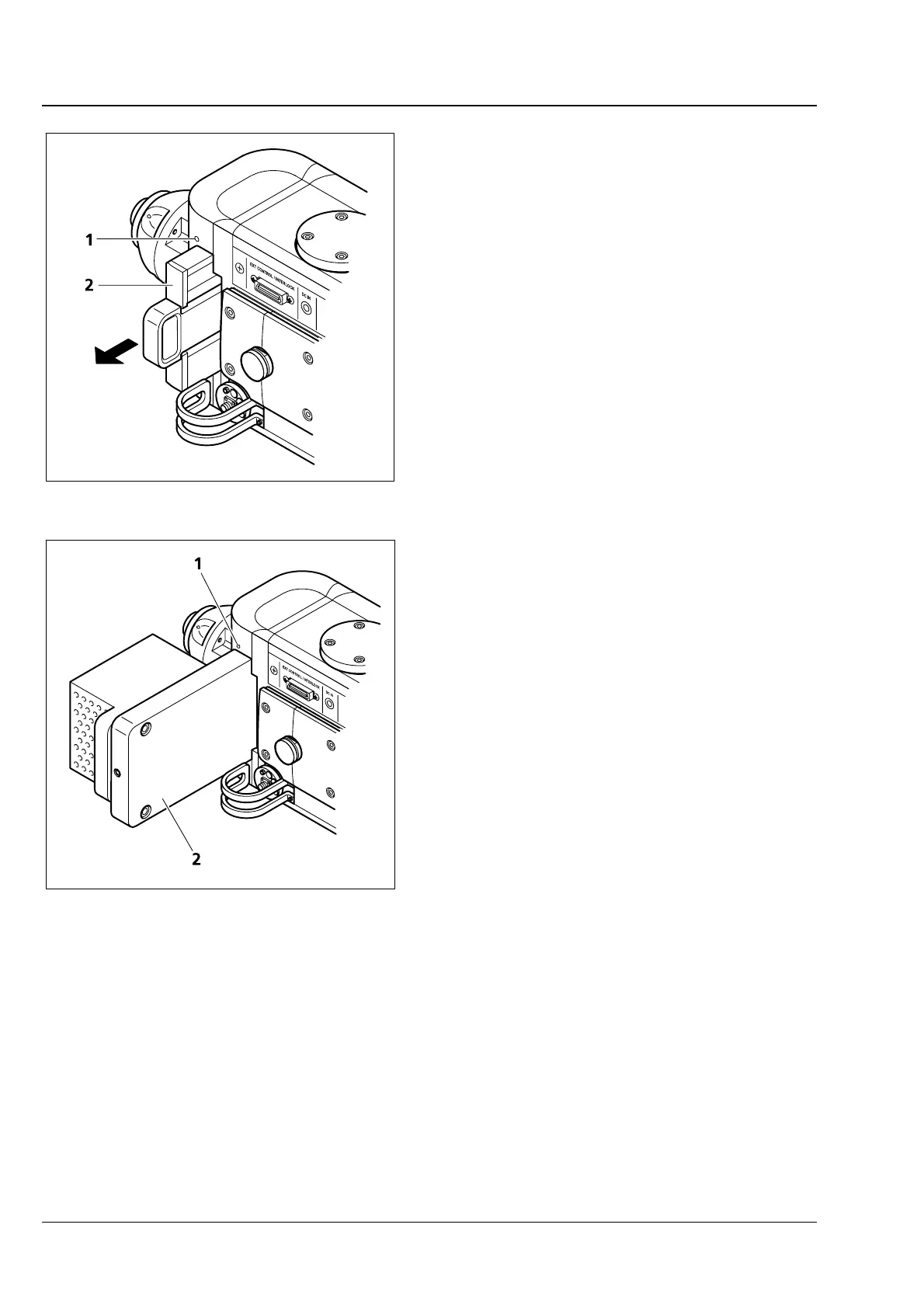
• Release the clamping screw (2.5" Allen key)
(
Fig. 4-11/1) at the spinning disc unit.
• Extract the filter insert (
Fig. 4-11/2) from the
front.
• Introduce the filter wheel (
Fig. 4-12/2) into the
spinning disc unit until mechanical stop po-
sition.
• Tighten the clamping screw (2,5" Allen key)
(
Fig. 4-12/1).
• Connect the filter wheel to the CSU-X1 control
box (refer to section
3.6.2).
Exchange of filter(s) in filter wheel:
Necessary actions for replacement of a filter or filters
are described in the "Filter Wheel CSUX1FW"
manual (supplied) (IM 85A07C27-01E) from
Yokogawa. However, users are advised to contact
the Service Department of Carl Zeiss
MicroImaging GmbH or specially authorized expert
personnel for necessary filter replacement.
Fig. 4-11 Removal of emission filter insert
Fig. 4-12 Mounting the filter wheel







 To Next Page