Service Kit Installation Procedures
906-0731-04-01 Rev. C ZOLL Ventilator Service Manual 4–69
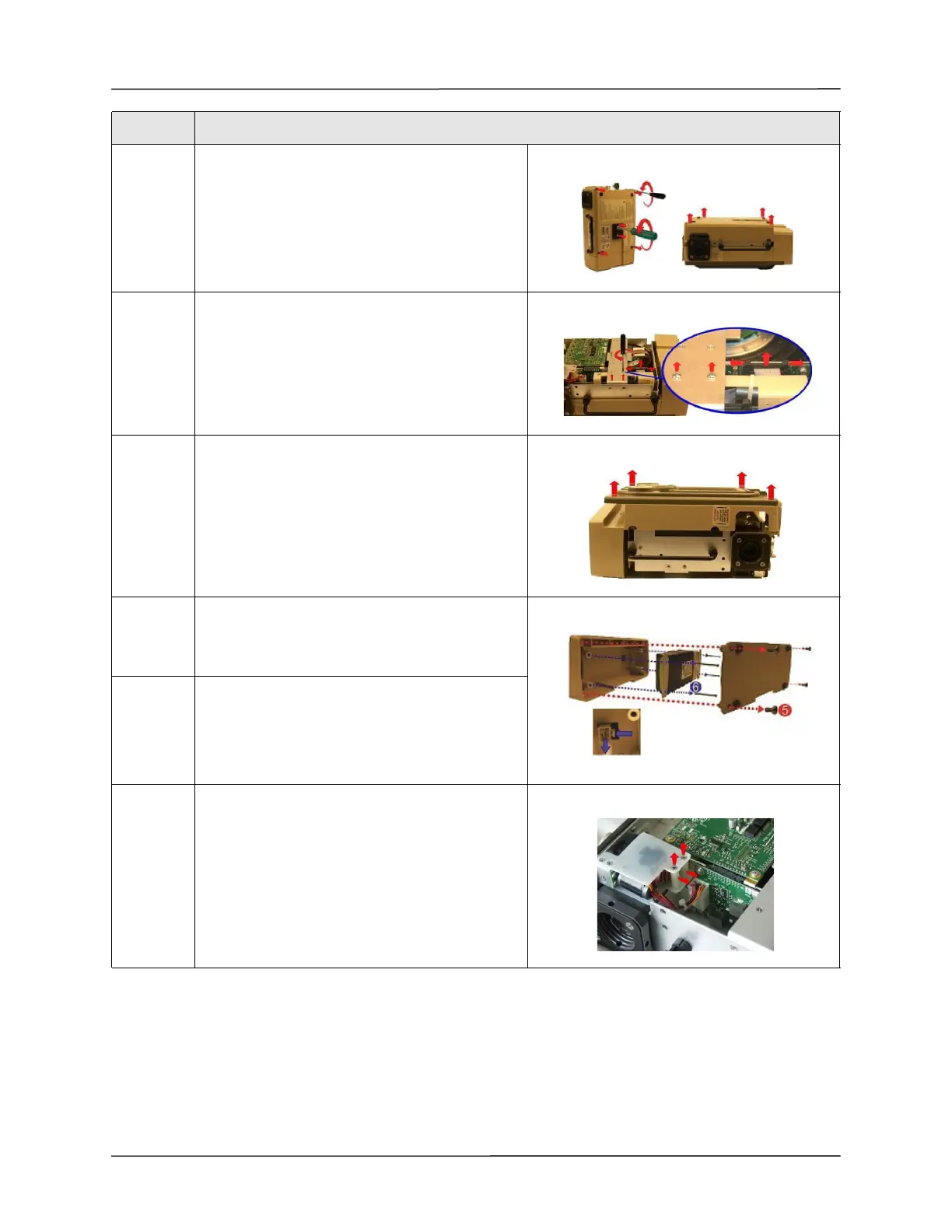
2 Loosen and remove the two 10-32 Keps nuts and
the four 6-32 x 2 screws.
Save these screws.
Remove the back case by lifting from the ventilator
3 Remove the two 4-40 x 1/4 screws on the dovetail
mounting bracket.
Save these screws.
Disconnect the ribbon cable on the PIM board by
simultaneously applying pressure on the two
ejector latches.
4 Flip the ventilator over and remove the front case
assembly by lifting it straight up away from the
ventilator module.
5 Remove the battery compartment cover by
unscrewing the four 6-32 x 5/16 screws.
Save these screws.
6 Remove the battery by unscrewing the four 6-32 x
2 1/4 screws and detaching the plug from its
locking latch.
7 Loosen and remove the two 4-40 x 1 1/4 Screws
and nylon spacers supporting the Power Input
assembly unto the chassis.
Step Action



 To Next Page