Take and folder operations
Writing sound reports (Create Sound Report)
72
Writing sound reports (Create Sound Report) (continued)
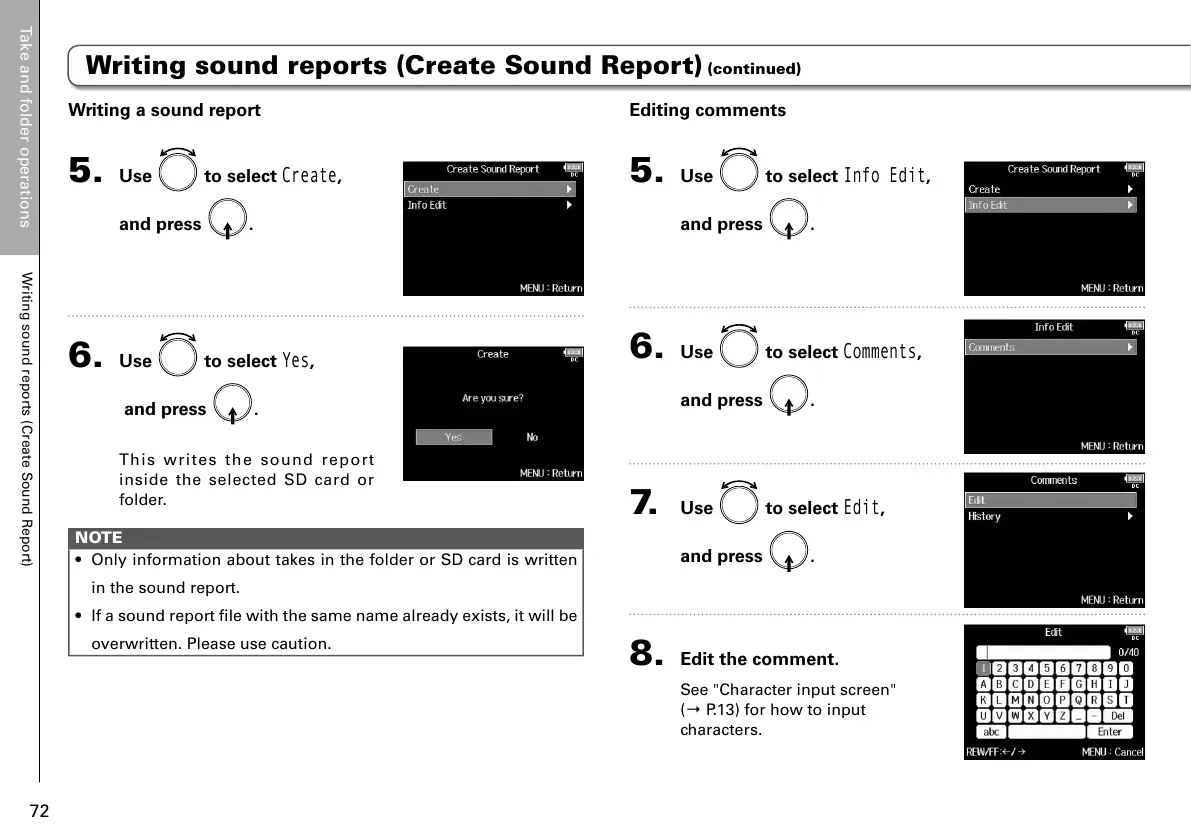
Writing a sound report
5. Use to select
Create
,
and press
.
6. Use to select
Yes
,
and press
.
This writes the sound report
inside the selected SD card or
folder.
NOTE
• Only information about takes in the folder or SD card is written
in the sound report.
• If a sound report file with the same name already exists, it will be
overwritten. Please use caution.
Editing comments
5. Use to select
Info Edit
,
and press
.
6. Use to select
Comments
,
and press
.
7. Use to select
Edit
,
and press
.
8. Edit the comment.
See "Character input screen"
(→ P.13) for how to input
characters.



 To Next Page