60
Telephone Directory
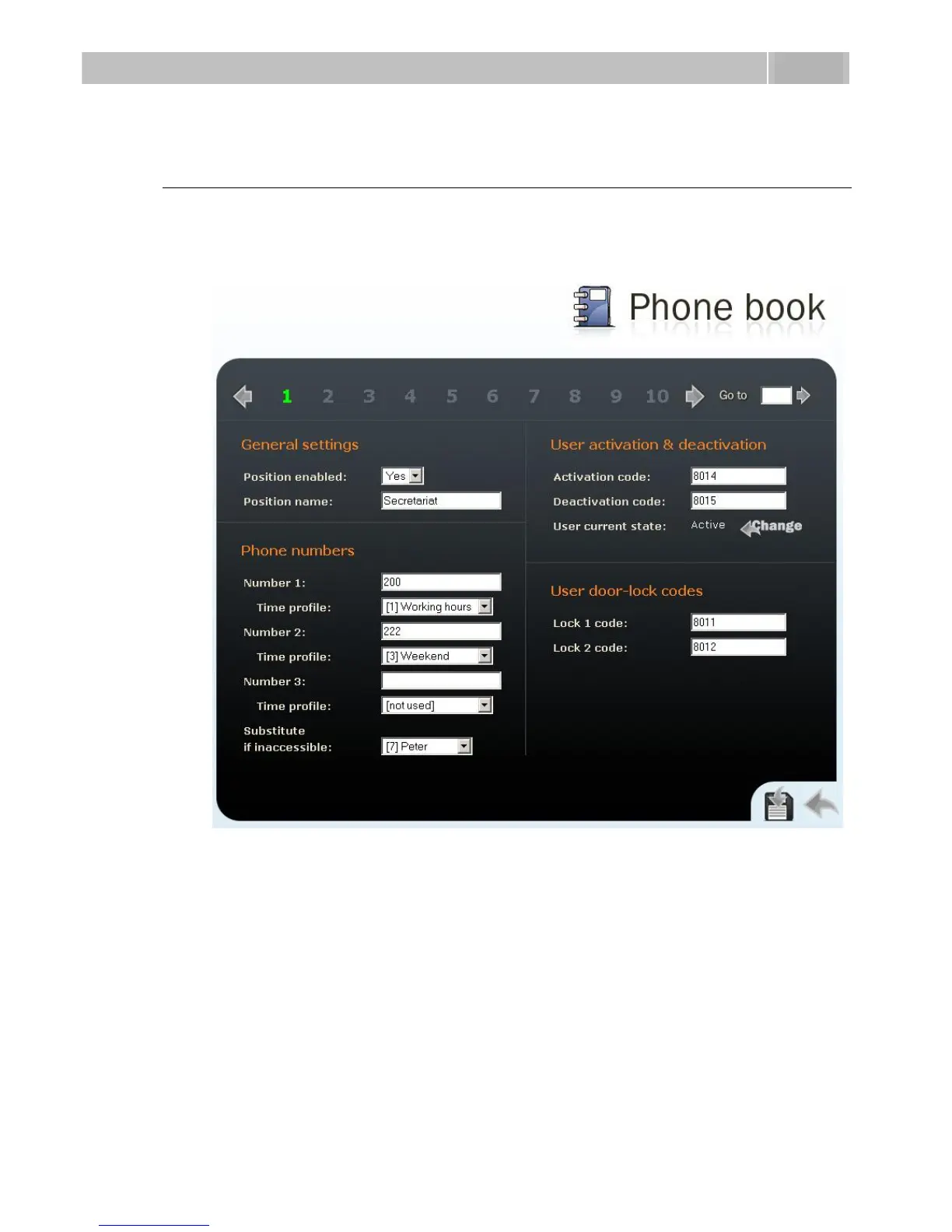
To set the telephone directory, use the Basic settings –> Telephone directory tag. The
telephone directory includes 999 records – positions. Typically, one position
corresponds to one user. You can assign up to three phone numbers to each
position/user.
Figure 3.15 Telephone Directory
To move between the positions either use the arrow buttons, or enter the position
number and push the Move to button in the right-hand upper corner.
The first 54 positions are the same as the quick dialling buttons on 2N
®
Helios IP and
buttons on the extending modules (refer to the Button Numbering subsection). For the
other positions use the numeric keypad if available in your 2N
®
Helios IP.



 To Next Page