91
floors and apartments are assigned to telephone directory positions: 01A – 1, 01B
– 2, 01C – 3, 01D – 4, 01E – 5, 01F – 6, 02A – 7, 02B – 8 etc. until 99F – 594.
Keystroke timeout
Set the delay between two digits when entering a code or telephone number using
the 2N
®
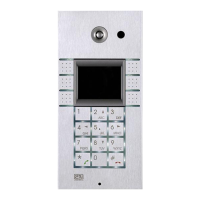
Helios IP keypad.
Enable telephone mode
Enable to set up calls directly to the telephone numbers entered from the
2N
®
Helios IP numeric keypad using the *telephone_number* key sequence.
Dial digits limit
Define the maximum number of digits of a telephone number in the Telephone
mode. When the defined count is reached, the telephone number is dialled
automatically without the need to push * subsequently.
Legacy lock code
Set whether the first code in the lock 1 and lock 2 list may be entered from a VoIP
phone valid without an * confirmation.
Other Settings
Backlight level
Set the level of the keypad backlight.
DHCP on/off by buttons
Set whether a quick dialling button combination may switch to obtaining the IP
address from the DHCP server upon the 2N
®
Helios IP restart as described in the
Switching to Default Network Parameters – Dynamic IP Address subsection.
Enable lock control by HTTP
Enable lock control by HTTP requests sent by 2N
®
Helios IP. Select ON, OFF or
change over upon the following HTTP (GET) request:
http://helios_ip_address/enu/lockstate.xml.p?lockXstate=Y, where X is the lock
number (1-4) and Y is 0 for switch off, 1 for switch on and 2 for change over.



 To Next Page