663D Systems, Inc.
READING THE Z-GAP CALIBRATION PRINT
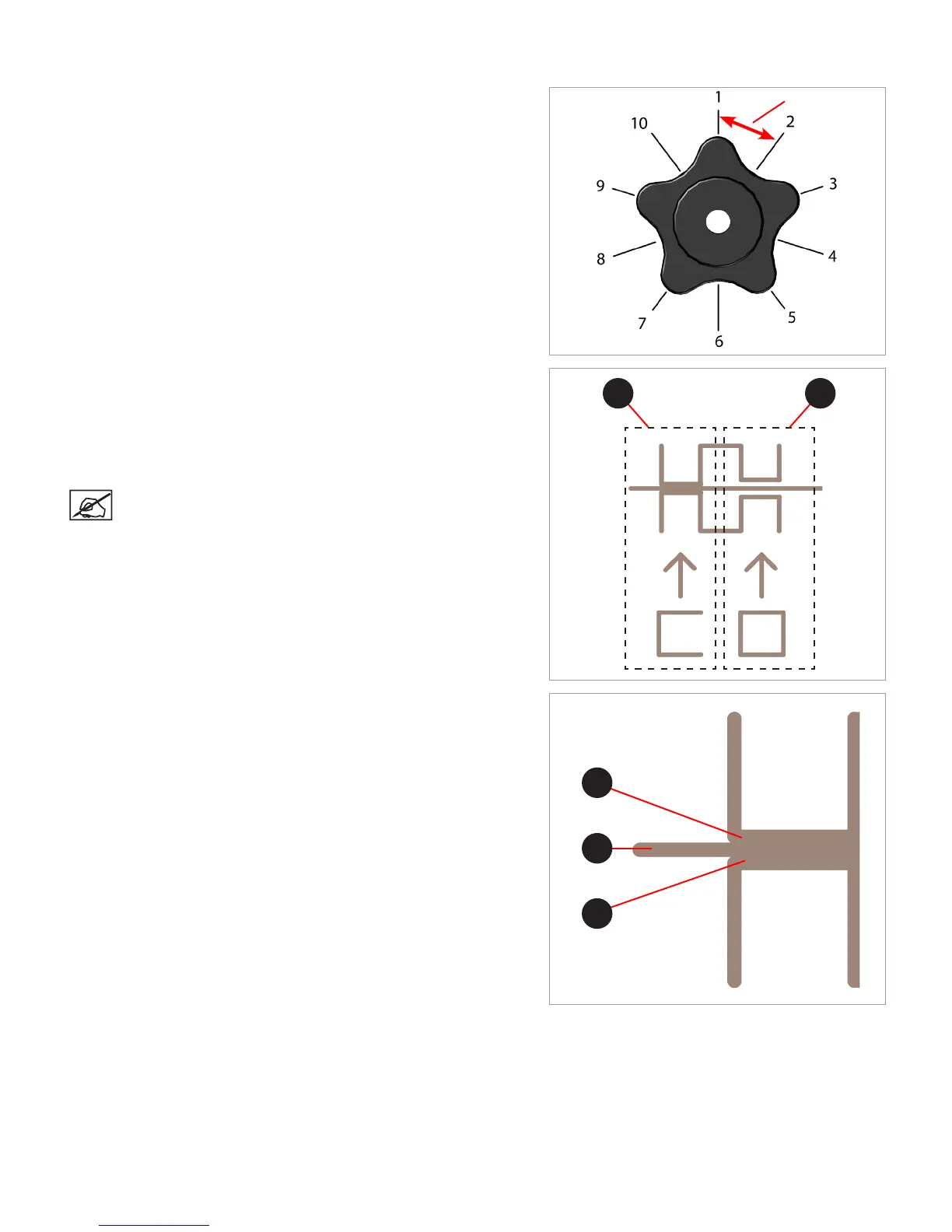
Adjustment Knob Measurement
Adjusting the level plate adjustment knob should initially be performed in
1-step increments. If a ner adjustment becomes necessary, adjust the
knobs in 1/2 step increments.
In the following illustration, the measurement between 1 and 2 is considered
1-step.
Adjusting the Z-Gap
The Z-Gap should be within specications before adjusting the Level Gap. If
adjustments to the Z-Gap are necessary, perform the adjustments and then
print the calibration le again to verify the correct Z-Gap. A correct Z-Gap is
indicated when there is no gap in the Closed Z-Gap measurement and there
is a gap in the Open Z-Gap measurement.
NOTE: The Closed Z-Gap (A) and the Open Z-Gap (B) are two
different measurements but should be read together.
Correct Closed Z-Gap
Referring to the illustration, the Closed Z-Gap bars (B) should touch the
baseline (A).
1-Step
A B
A
B
B











 To Next Page