813D Systems, Inc.
4. Press and release the touchscreen display ON/OFF button and the display will
restart.
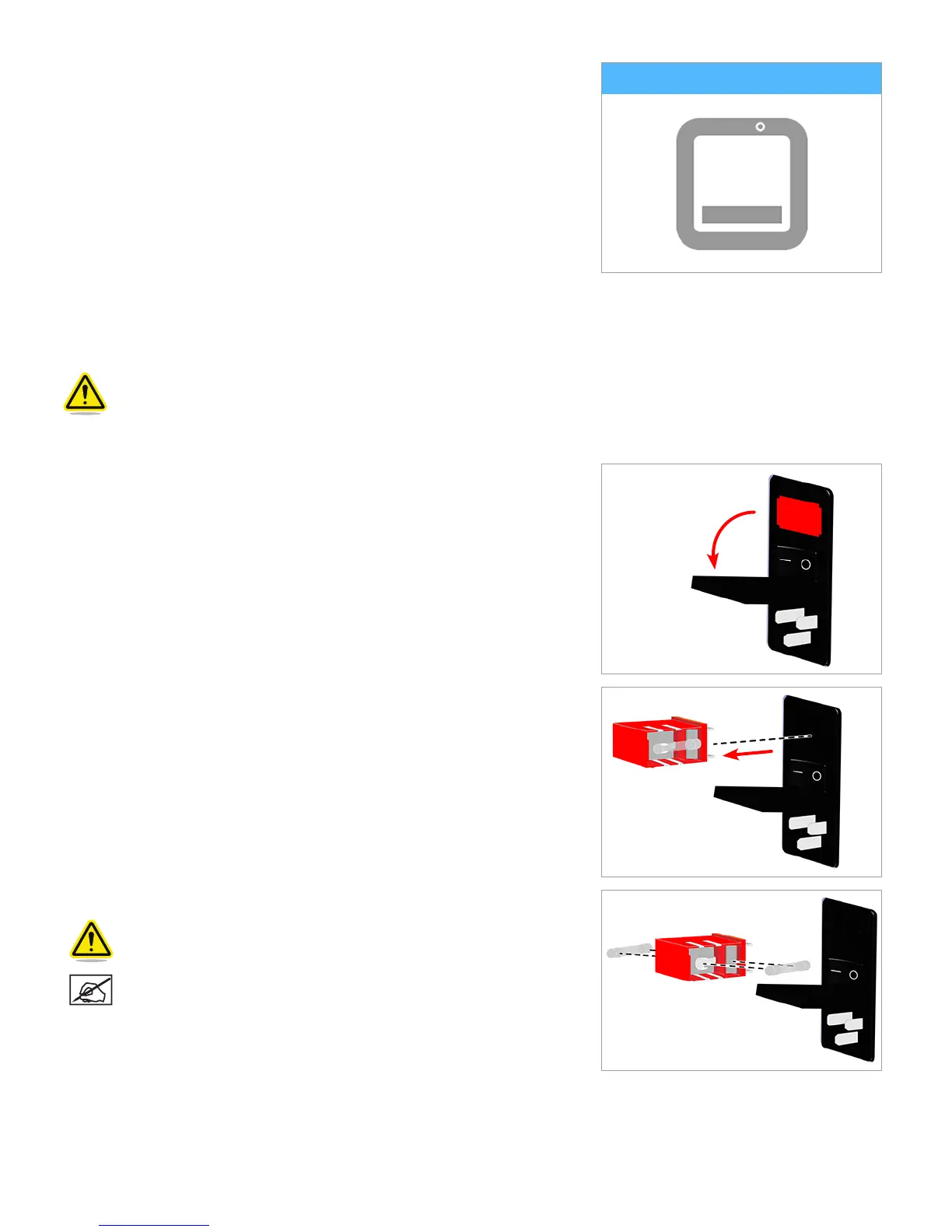
REPLACE FUSES
The printer has two (2) fuses that are designed to provide moderate circuit protection. If the fuses become defective, refer to the
following procedure to replace the fuses.
Caution: Double Pole/Neutral Fusing.
1. Power off the printer and disconnect the power cord from the printer.
2. Open the fuse door above the main power switch.
3. Remove the fuse cartridge from the power inlet housing.
4. Remove the defective fuses and install new ones.
Caution: Ensure the replacement fuses are rated correctly.
NOTE: Fuse: 5x20mm T10A L 250V.












 To Next Page