11-7
Questions? Refer to Page 11-22 For Technical Support Instructions.
Chapter 11: Troubleshooting
Symptom/Error Message Explanation How To Respond
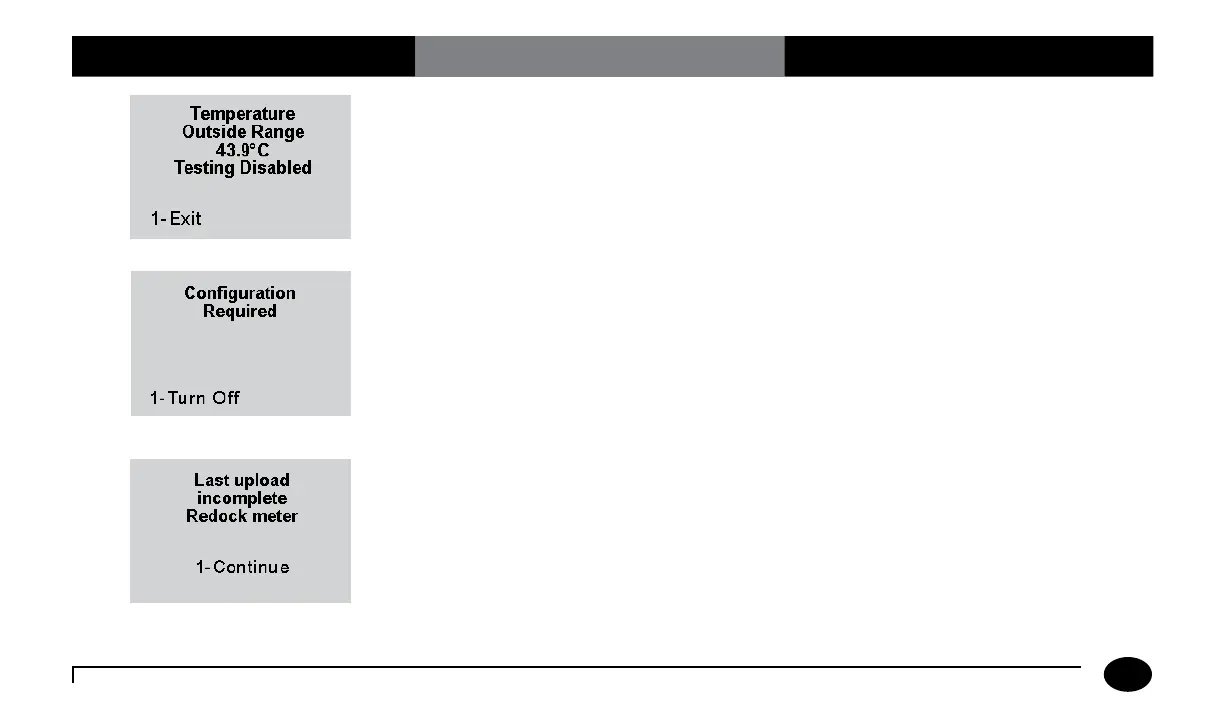
Occurs when any test is selected and the
temperature is outside the meter operating
temperature range.
Press 1 to Exit. Turn meter off. Allow the
meter to return to room temperature.
The meter is shipped from the factory
without configuration. This screen will
appear the first time you turn on the meter
after receiving it.
Use PrecisionWeb or other Abbott-supplied
software to configure the device to your
specific facility’s requirement prior to using
the device.
An error has occurred during last data
transfer. This screen will appear when you
turn on the meter.
Place the meter into the docking station to
complete the upload. Once the meter has
successfully been docked, the warning will
disappear.
Or,
Press 1 to Continue testing.












 To Next Page