11-20
Questions? Refer to Page 11-22 For Technical Support Instructions.
Symptom/Error Message Explanation How To Respond
When a Control Test is Selected:
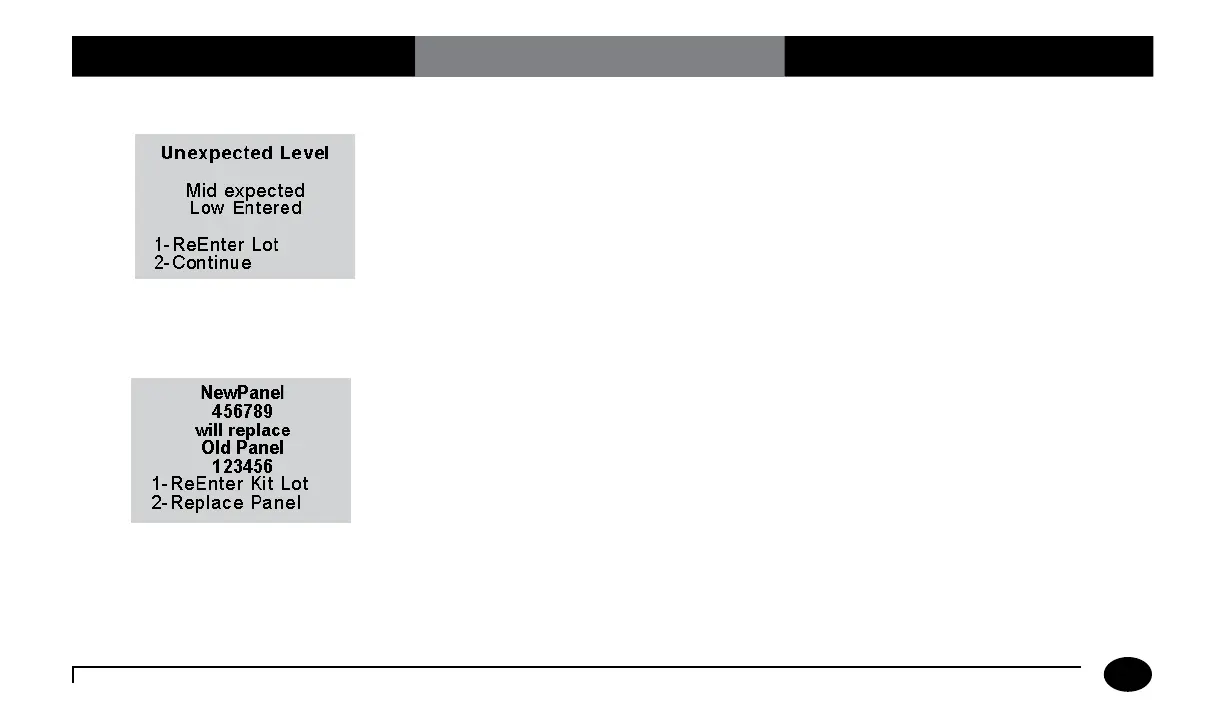
A control solution lot number has been
entered for a different level of control test
from the one that the meter expected to
run (in the usual low-to-high sequence).
The user may choose to enter a different lot
number (usually, for the expected level) or
to run the level of test that matches the lot
number entered.
Press 1 to ReEnter the lot.
Or,
Press 2 to run the level of test that matches
the lot number already entered.
When a Linearity Test is Selected:
A new linearity kit lot number has been
entered, different from the linearity panel
currently stored in the meter. Only one
panel of data is stored. The kit lot number
may have been entered incorrectly, or the
user may choose to replace the earlier data.
Press 1 to ReEnter a different linearity kit
lot number (typically, the number of the
previous kit).
Or,
Press 2 to proceed and Replace Panel,
using the new kit lot number. The existing
linearity data will be replaced by data from
the new lot.
Chapter 11: Troubleshooting












 To Next Page