3-17
Questions? Refer to Page 11-22 For Technical Support Instructions.
What You See on the Display What You Do Comments
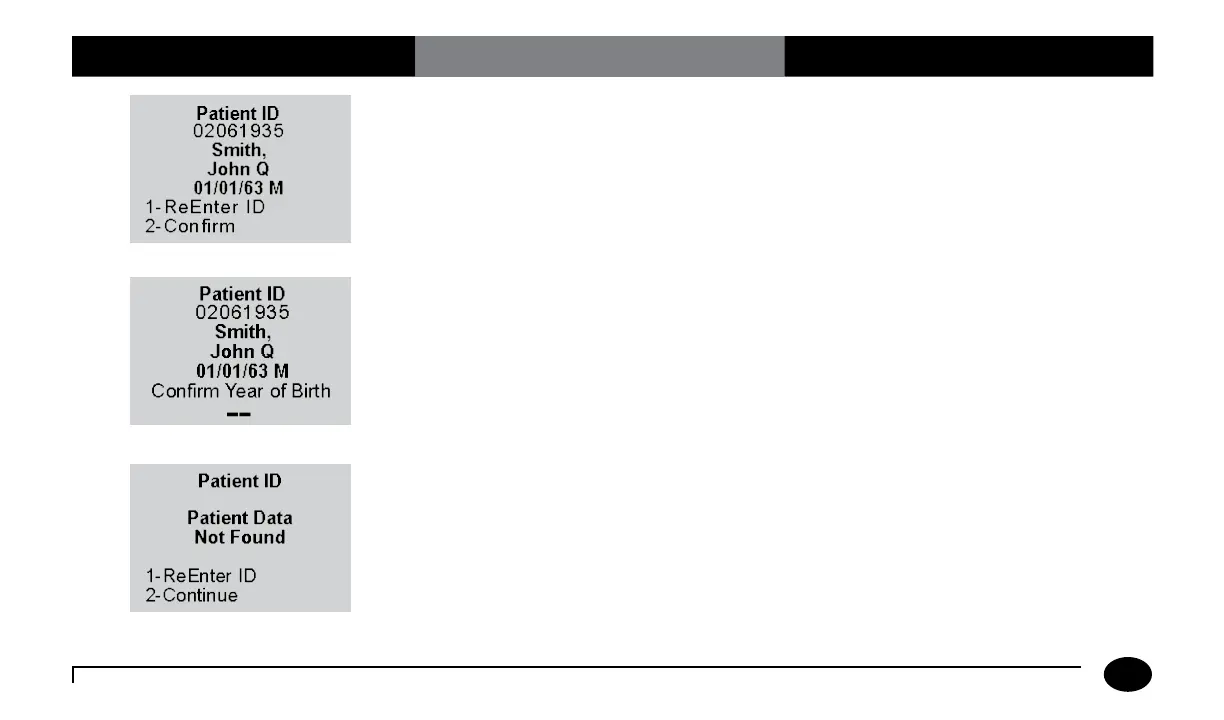
Press 2 to Confirm the Patient ID or 1 to
ReEnter the ID.
Enter the year of birth (e.g. enter “63” for
1963; enter “01” for 2001) then press the
Enter button.
Press Clear to re-enter the ID. If numbers
have been entered, the Clear key will erase
those first. Multiple presses of the Clear key
may be required to return to the Patient ID
entry screen in step 4.
Press 2 to Continue testing or 1 to
ReEnter the ID.
Chapter 3: Patient Test












 To Next Page