4-6
Questions? Refer to Page 11-22 For Technical Support Instructions.
What You See on the Display What You Do Comments
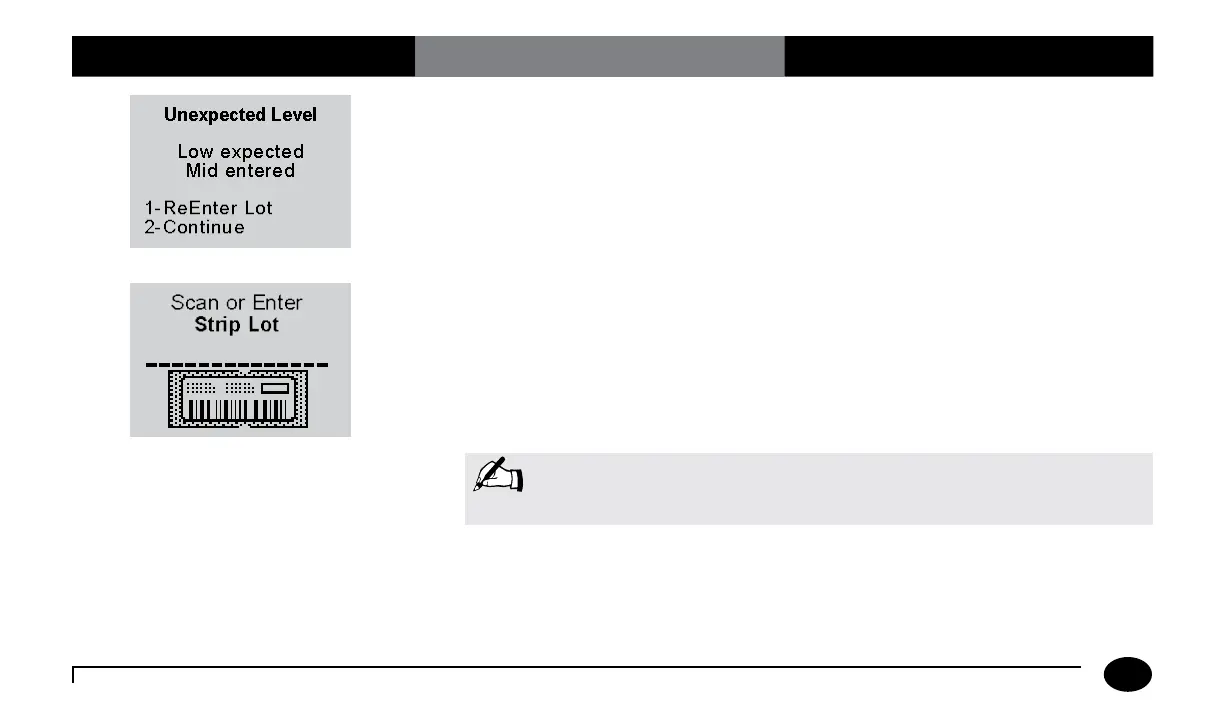
If the Unexpected Level screen appears,
you may either:
1. Enter 1 to ReEnter the expected level.
2. Enter 2 to Continue.
The meter is programmed to expect Low,
Mid, and High Glucose, then Low, Mid, and
High Ketone control tests in this order. A
warning message will appear if the controls
are used in a different order, however you
may still proceed with the test.
5. Press Scan to scan the test strip barcode
or manually enter the test strip lot
number via the keypad, then press
Enter.
Scanning the barcode identifies the strip
type, calibrates the meter, ensures the
expiry date has not passed, records the strip
lot used, programs control solution range
and checks that the lot has been approved
for use by your facility.
Note: Place meter on a flat surface while running control tests to prevent
control solution from dripping into the test strip port.
Chapter 4: Control Test












 To Next Page