6-6
Questions? Refer to Page 11-22 For Technical Support Instructions.
Chapter 6: Proficiency Test
What You See on the Display What You Do Comments
100 mg/dL
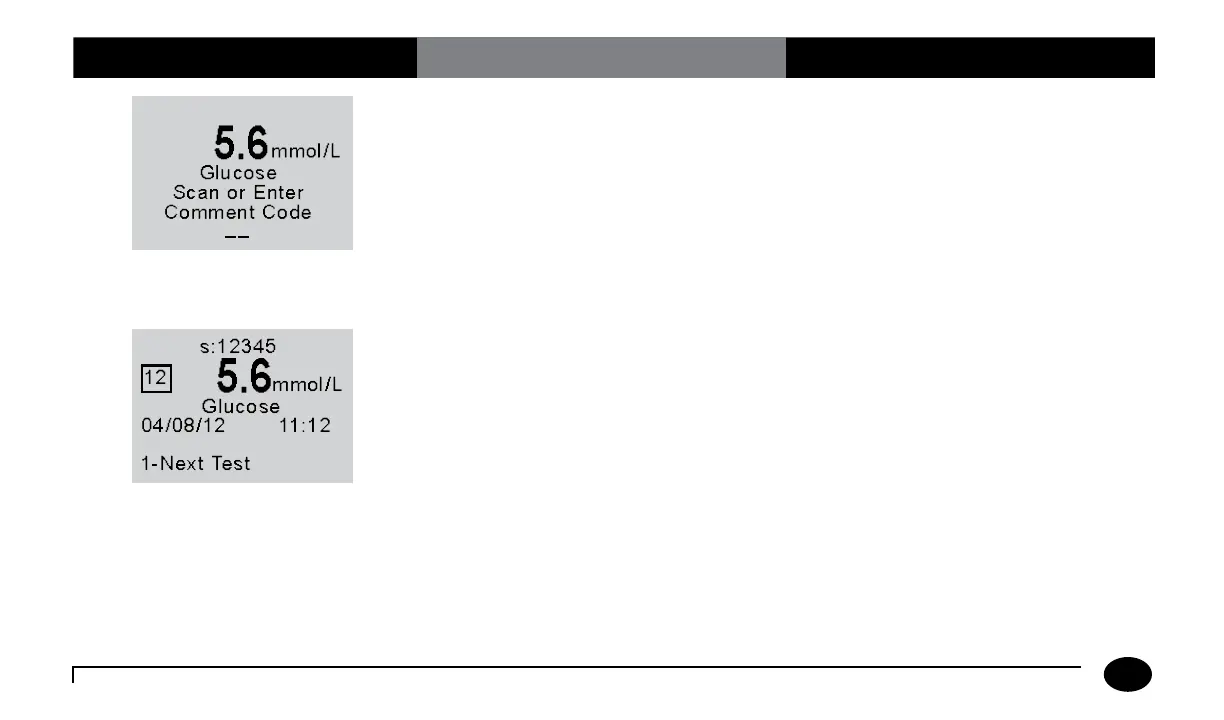
11. If required, scan or manually enter the
comment code and press Enter.
If there is no prompt to enter a
comment code, skip down to step 12.
If the comment code option is enabled in
the patient test configuration through the
data management system, the meter will
be enabled to scan or enter a 1 or 2 digit
comment code.
100 mg/dL
12. You can select one of the following
options:
Press 1 – Next Test.
Press Menu to return to the Menu
Mode.
Press On/Off to turn off the meter.
Remove the test strip from the meter
and discard it when finished testing.
Follow your facility’s biohazard disposal
policy.
The display shows:
Sample ID (s: prompt)
Comment Code (Number in box)
Test Type (Glucose)
Date and Time of test
Operator ID (o: prompt)
Note that test date and time alternates with
Operator ID.
If 1 is selected, the Scan or Enter Sample
ID screen will appear. Return to step 5
to perform the Next Test with another
proficiency sample.












 To Next Page