6-9
Questions? Refer to Page 11-22 For Technical Support Instructions.
Chapter 6: Proficiency Test
What You See on the Display What You Do Comments
5. You can select one of the following
options:
Press 1 – Next Test.
Press Menu to return to Menu Mode
menu.
Press On/Off to turn off the meter.
Remove the test strip from the meter
and discard it when finished testing.
Follow your facility’s biohazard disposal
policy.
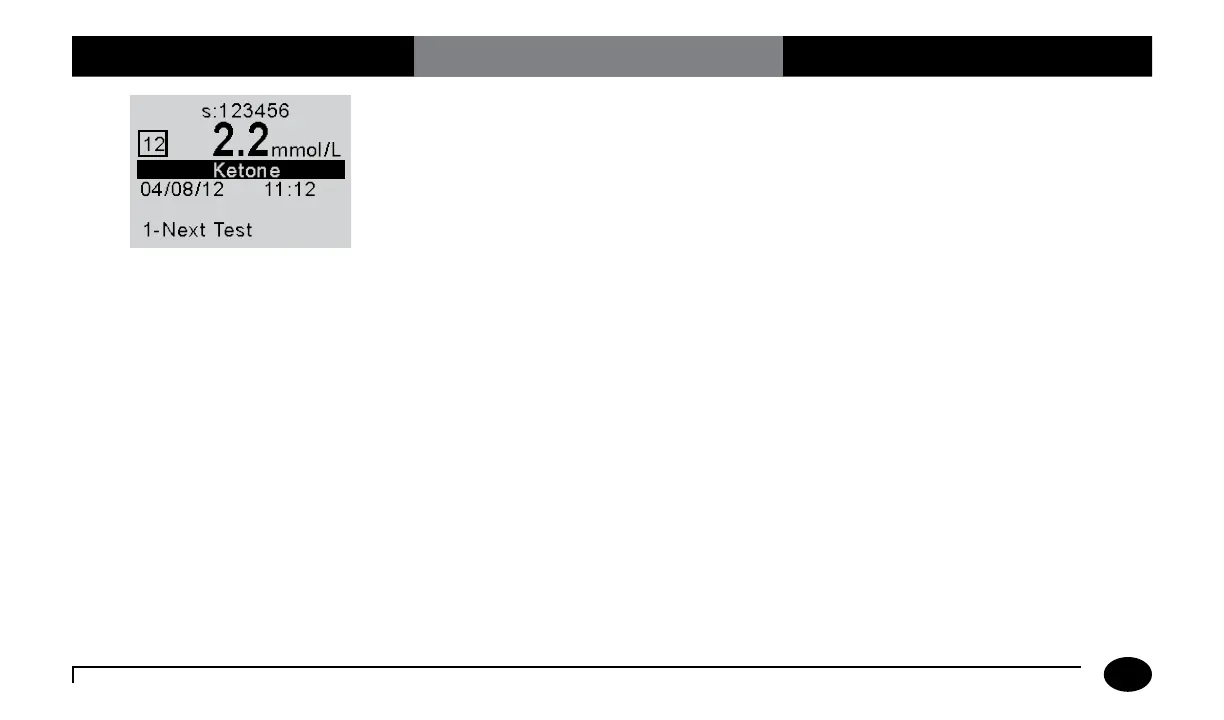
The display shows:
Sample ID (s: prompt)
Comment Code (Number in box)
Test Type (Ketone)
Date and Time of test
Operator ID (o: prompt)
Note that test date and time alternates with
Operator ID.
If 1 is selected, the Scan or Enter Sample
ID screen will appear. Return to step 1
to perform the Next Test with another
proficiency sample.












 To Next Page