AcerPower 6000 User’s Guide1-2
1.2 Features
The basic configuration consists of a system unit, a keyboard, a CD-ROM drive, a
diskette drive, a fixed disk drive and a mouse.
1.2.1 Front Panel
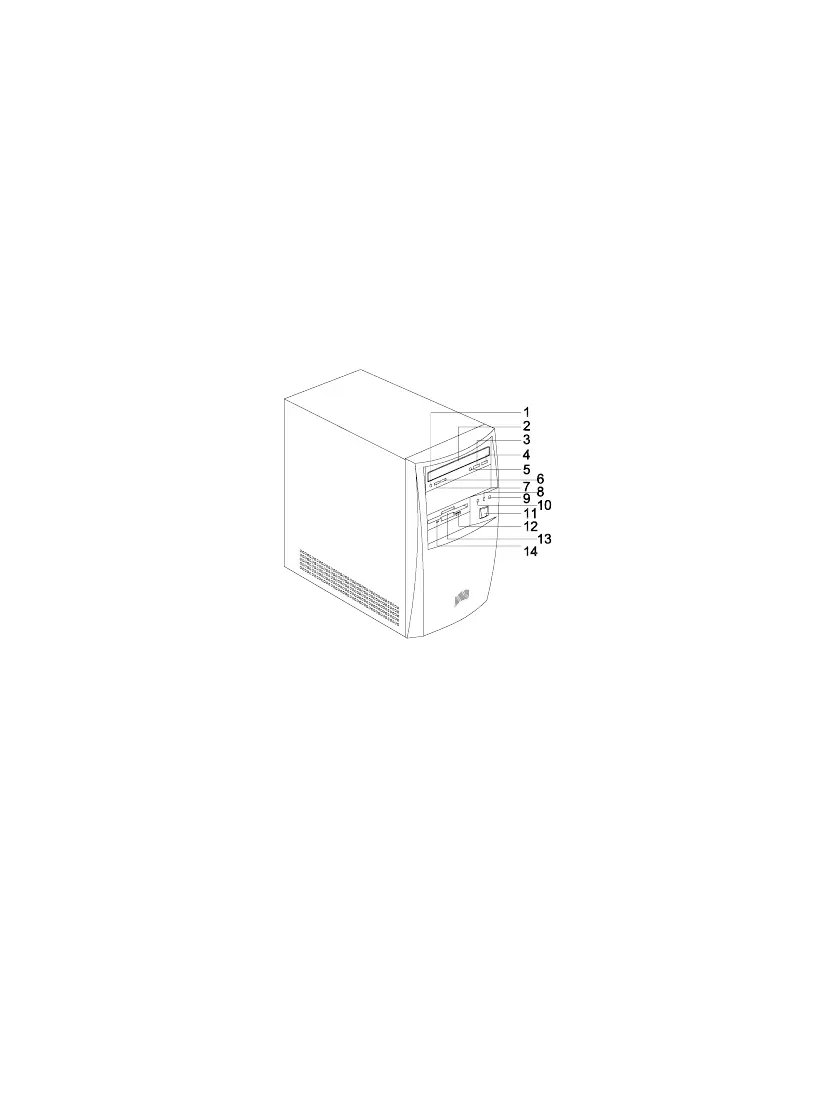
Figure 1-1 shows the system unit front panel.
1. Headphone/Earphone Port 8. System Activity LED
2. CD-ROM Tray 9. Power LED
3. Stop/Eject Button 10. Fixed Disk Drive LED
4. Skip/Forward Button 11. Power Button
5. CD-ROM LED 12. 3.5-inch Diskette Drive Eject Button
6. Increase Volume Button 13. 3.5-inch Diskette Drive
7. Decrease Volume Button 14. 3.5-inch Diskette Drive LED
Figure 1-1 Front Panel













 To Next Page