Chapter 1 - Getting Started 1-3
1.2.2 Rear Panel
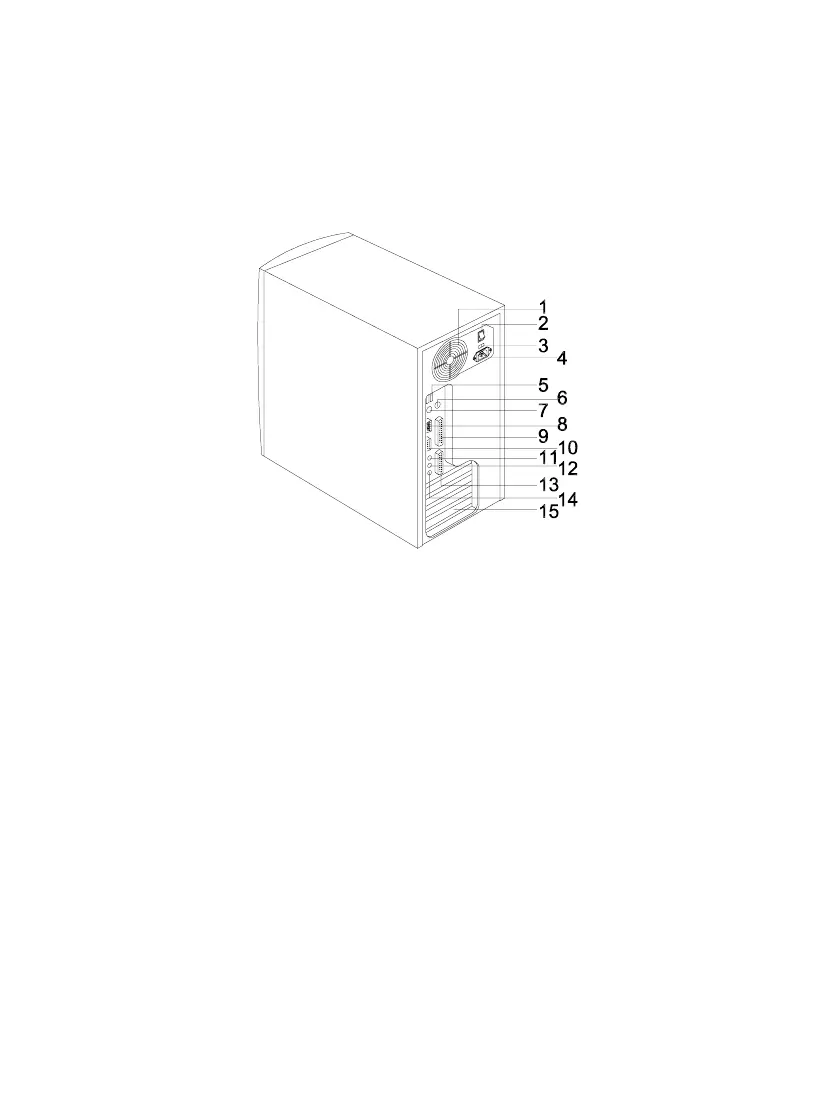
Figure 1-2 shows the system unit rear panel.
1. Fan 9. Parallel Port
2. System Main Power Switch 10. Monitor/VGA Port
3. Voltage Selector 11. Audio-out Port
4. System Power Socket 12. Audio-in Port
5. USB Ports 13. Game/MIDI Port
6. PS/2 Mouse Port 14. Microphone-in Port
7. PS/2 Keyboard Port 15. Add-on Card Brackets
8. Serial Port
Figure 1-2 Rear Panel













 To Next Page