AcerPower 6000 User’s Guide4-12
4.5 Upgrading the CPU
The board supports a Pentium II processor or a Celeron processor. Both processors
come in a new enclosed packaging technology called S.E.C. (Single-Edge Contact)
cartridge. The only difference between the two is that the Pentium II processor
comes with 256-KB or 512-KB built-in second-level cache, while the Celeron
processor comes only with an internal cache. Both are capable of increasing the
performance of 32-bit software and multimedia applications.
4.5.1 Removing the Processor Card
Observe the ESD precautions when installing or
removing a system component. See section 4.1.1.
Before you can replace or upgrade your processor, you need to remove the
previously installed processor on the system board.
Follow these steps to remove the processor card:
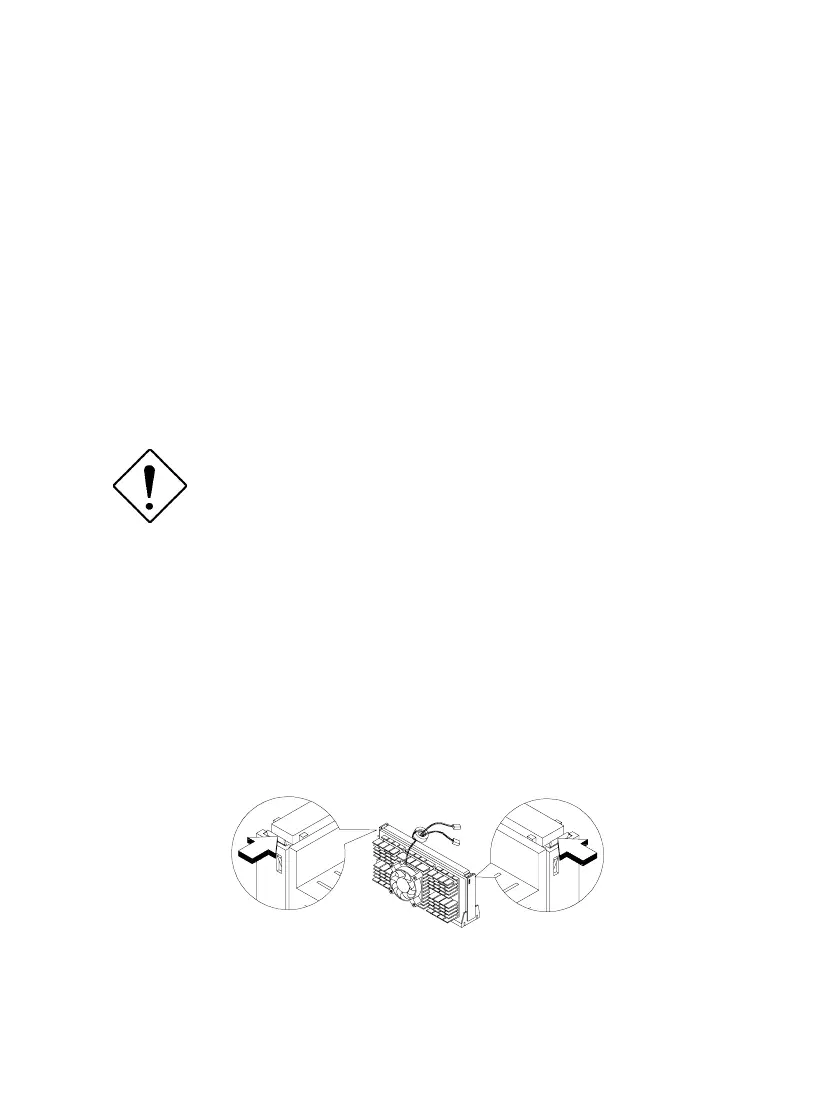
1. Press the latches on both sides of the processor to release it from the retention
mechanism. You will hear a click sound once the latch is released.
Figure 4-9 Pressing the Latches













 To Next Page