AcerPower 6000 User’s Guide4-14
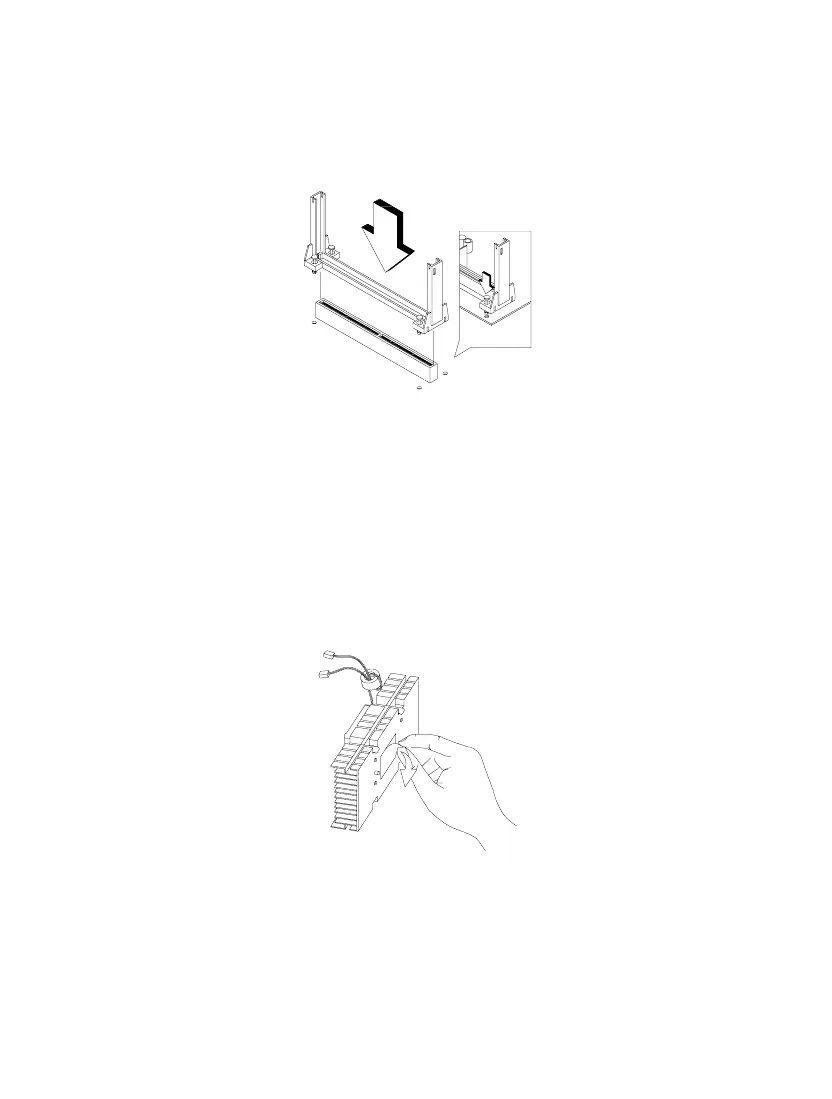
2. Press the four rivets to secure the retention mechanism. Make sure all four
rivets are properly inserted into the holes on the system board.
Figure 4-11 Installing the Retention Mechanism
3. Remove the processor card from its protective packaging. Make sure that the
latches on the sides of the module are not pressed.
4. Remove the thermal tape protector at the back of the fan sink.
Figure 4-12 Removing the Tape Protector from the Fan Sink
5. Insert the wide clip ends into the wide holes on the processor and the narrow
clip ends into the narrow holes.













 To Next Page