Chapter 4 - Installing Optional Components 4-19
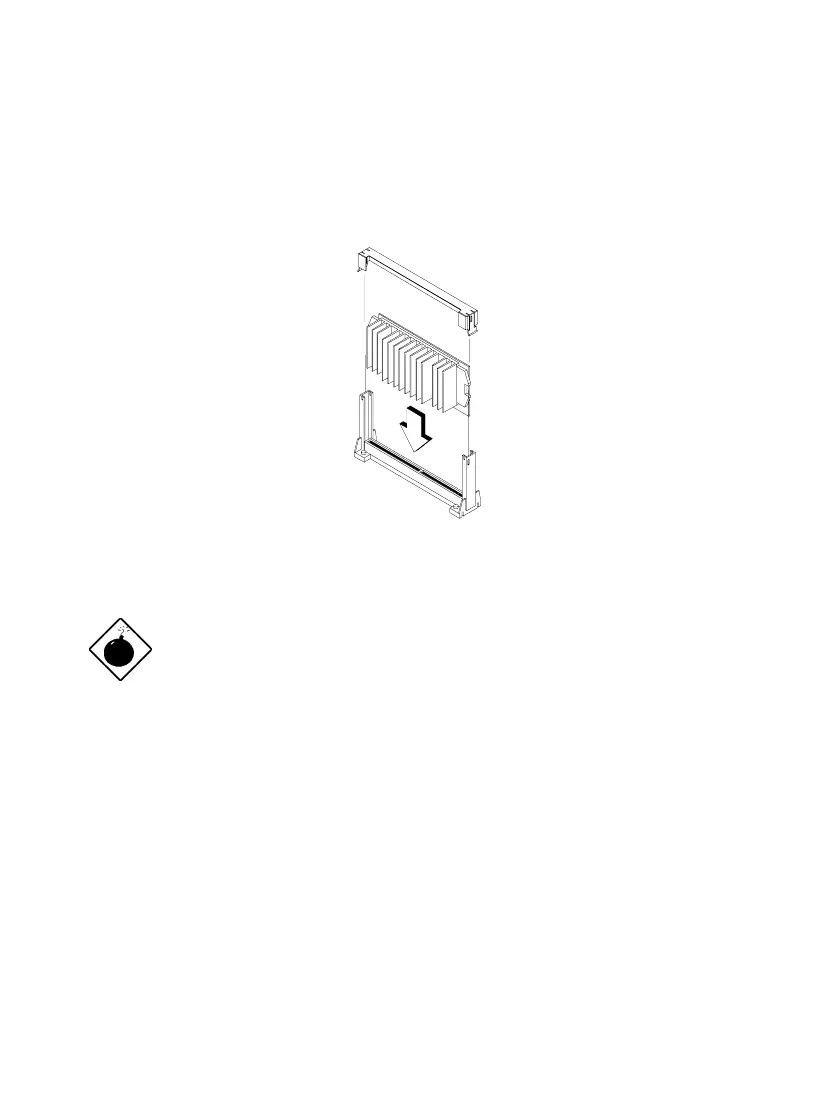
7. Press down the processor until the golden fingers completely fit into the
connector.
8. Snap the retention cover into place as shown in the figure below.
Figure 4-20 Installing the Celeron Processor
The heatsink becomes very hot when the
system is on. NEVER touch the heatsink with
any metal or with your hands.













 To Next Page