124 Accessories and options
fabian HFO | SW 5.1.x
Ref: 113003.EN / Date 2020-02-10
The LEMO HPLPM contains a 9-pin (DB9) LNCS-compatible sensor connector with latch at the
sensor end, and a 7-pin LEMO connector at the opposite end so that it is compatible with the 7-pin
LEMO device port on the rear panel of the fabian ventilator. The total length of the LEMO HPLPM,
patient cable, and sensor cannot exceed 5 meters.
12.4.2 Setting up PRICO
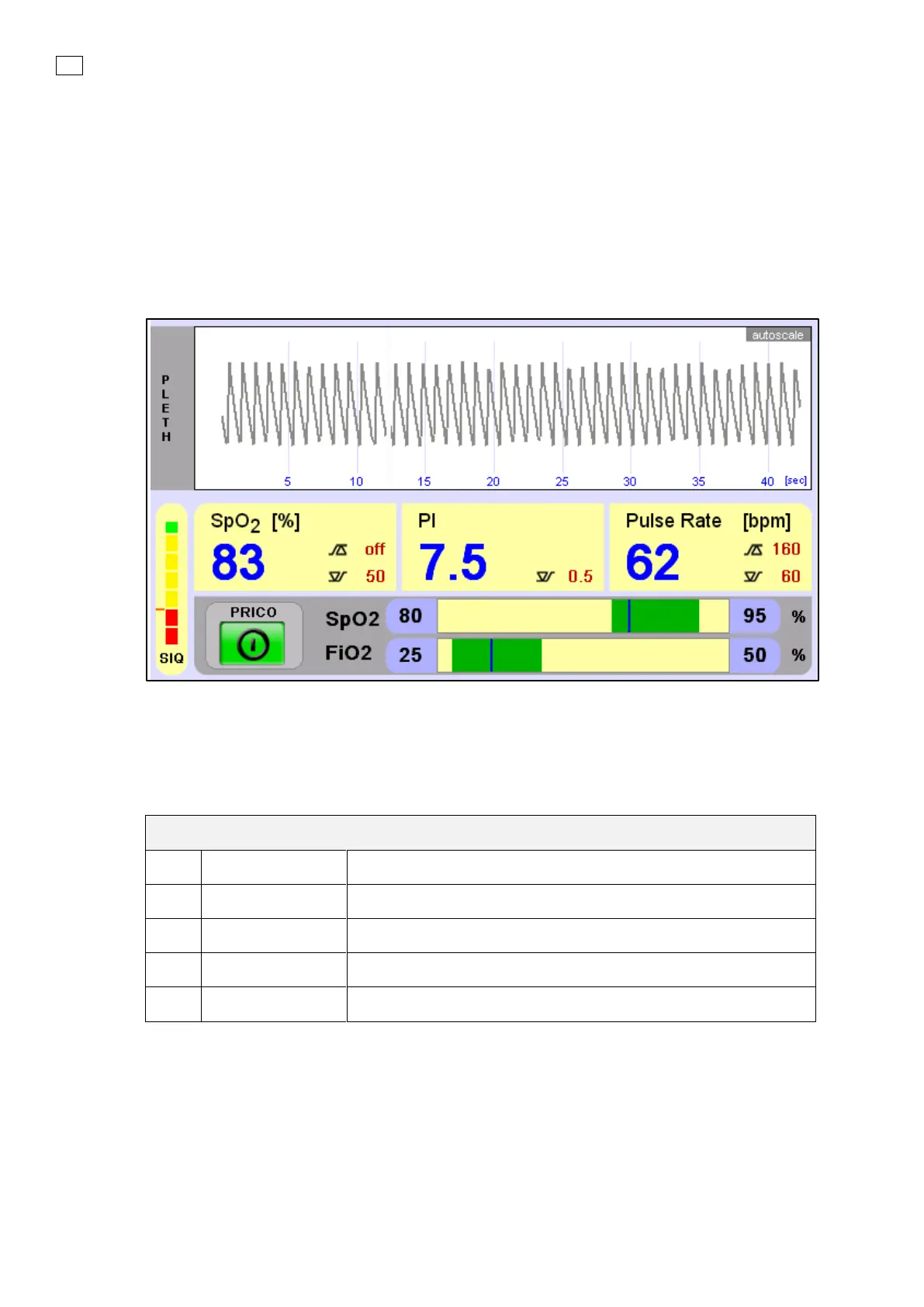
PRICO can be activated in the SpO
2
section of the Graphics menu. PRICO will adjust the FiO
2
, to try
to keep the SpO
2
within the selected range.
Figure 32 PRICO in fabian HFO
PRICO has the following parameters:
Dependencies on Alarm Limits:
• “SpO
2
low target” must be greater than or equal to the low SpO
2
alarm limit.
• “SpO
2
high target” must be less than or equal to the high SpO
2
alarm limit.
• PRICO can only be “ON” when the measured SIQ (Signal Quality) is higher than the SIQ alarm
limit.


 To Next Page
 Loading...


