Accessories and options 131
fabian HFO | SW 5.1.x
Ref: 113003.EN / Date 2020-02-10
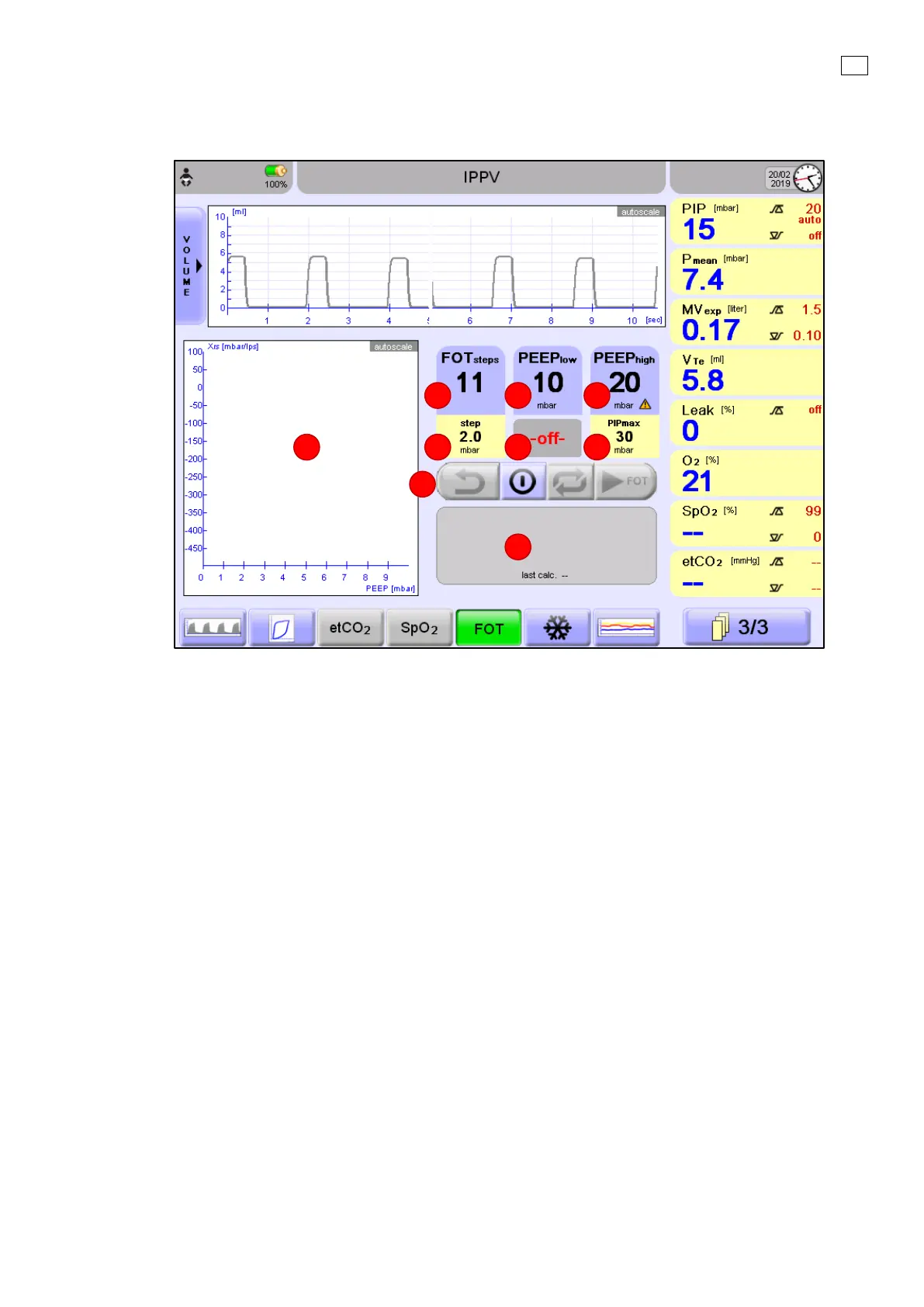
12.6.2 FOT general layout
1. FOT graph: displays and connects the calculated Xrs values (always auto scaled).
2. FOT
steps
setting: used to set the number of reactance measurements between the pressure range
defined by low and high-pressure settings.
3. P
mean
low / PEEP
low
setting: used to set the lower (starting and ending) point of recruitment
/derecruitment procedure.
4. Pmean high / PEEP
high
setting: used to set the upper (turnaround) point of recruitment
/derecruitment maneuver procedure.
5. Step size information field: The pressure difference between two consecutive FOT
measurements. It is automatically calculated as the difference between the low and high-
pressure settings and FOT.
6. Information field: Depending on the status of FOT it displays if it is OFF; the remaining time of the
stabilization period; the remaining time of forced oscillation; the number of next step.
7. PIPmax information field: The maximally reached peak pressure during the whole recruitment
procedure. It is automatically calculated as the high pressure setting and the ventilation’s actual
∆P.
8. Control buttons: Reverse; ON / OFF; Repeat; Next step / Start measurement.
9. Information field: Depending on the status of FOT it displays the current and next PEEP/ Pmean
and PIP values; the date and time of last recruitment / derecruitment maneuver; feedback
information of unsuccessful measurements.


 To Next Page
 Loading...


