Configurations menu 63
fabian HFO | SW 5.1.x
Ref: 113003.EN / Date 2020-02-10
4. Display Trends as filled or regular lines.
Auto scale ON / OFF
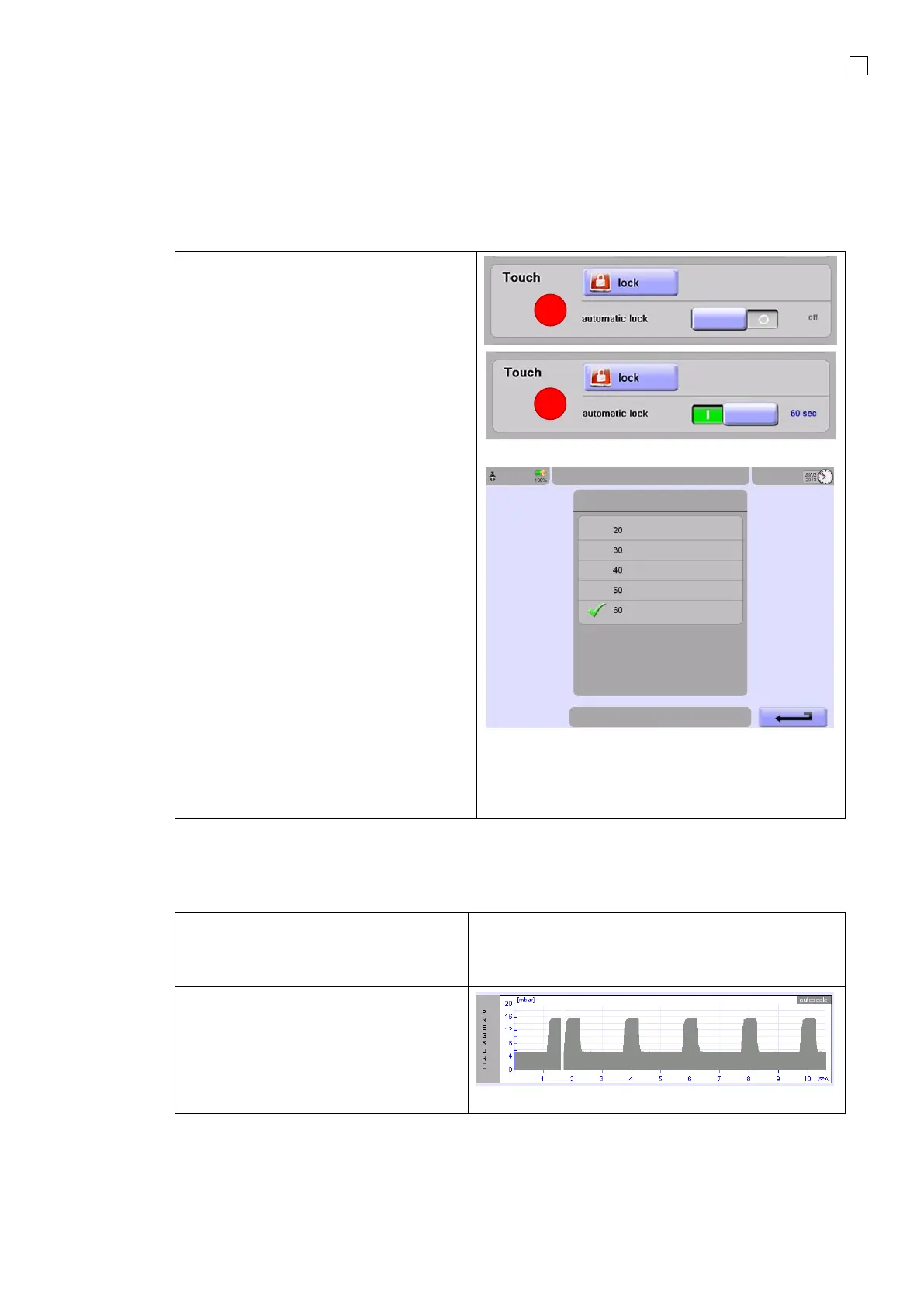
6.3.1 Touch screen settings
Lock Touch screen:
1. In the touch area of the Display
screen, press “lock” and the screen
is locked.
NOTE: To deactivate the lock, press the
Rotary push knob.
2. Program automatic lock, slide bar to
the right and the Time will be
displayed.
3. Select Time and you can choose the
appropriate time from the auto
screen lock list.
NOTE: Exit the time menu with the
Return button and the chosen time will
be displayed.
The touch screen can also be locked by
holding the Rotary push knob for 3
seconds
Lock is automatically cancelled in the
event of an alarm or by pressing the
Rotary push knob.


 To Next Page
 Loading...


