37 6 Configurations menu
fabian Therapy evolution | SW V5.1.x
Ref: 121003.EN / Date: 26Jan2021
6.1.2 Flow sensor
The Calibration procedure is identical for both types of Flow sensors and described below.
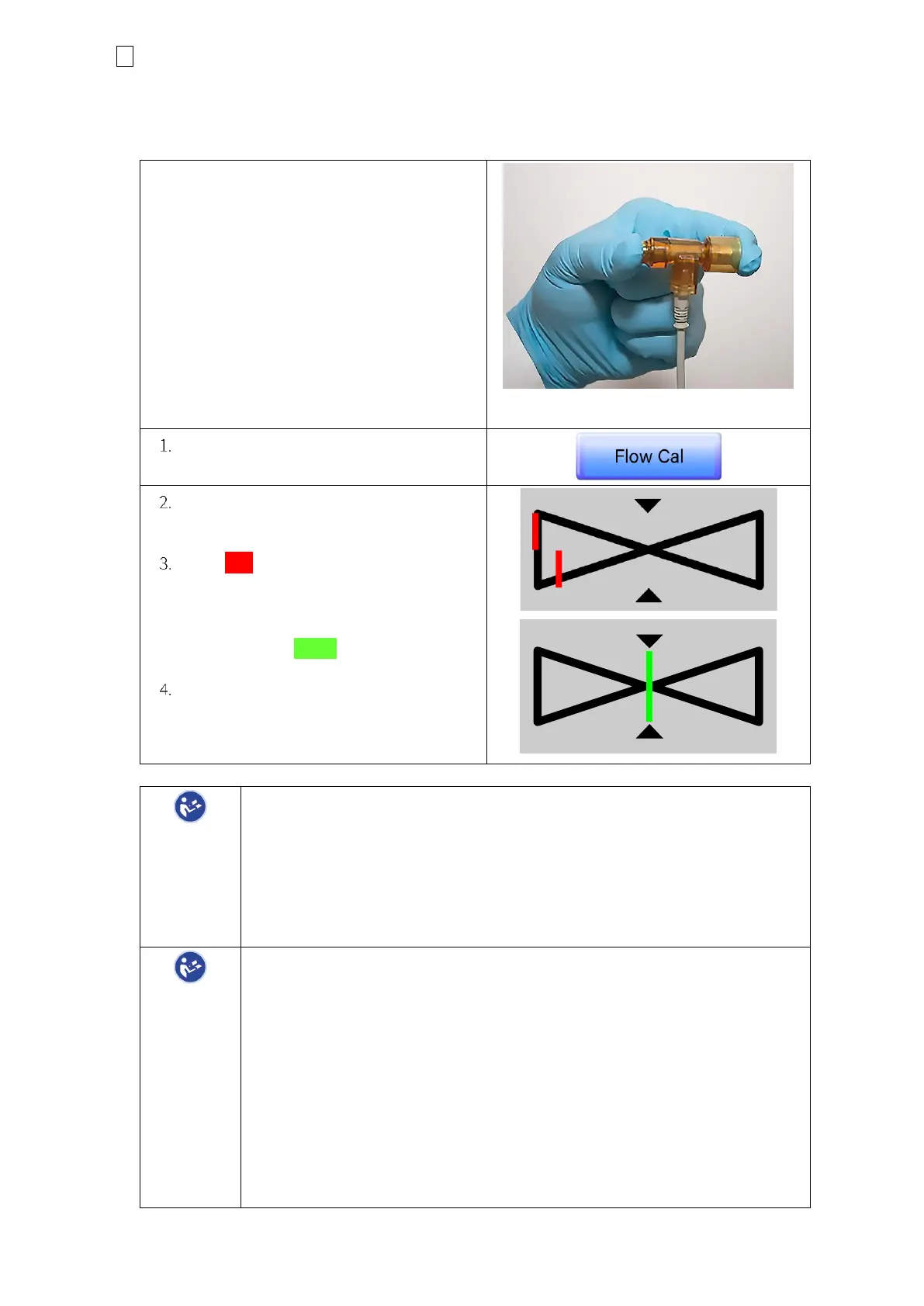
Ensure that gas will NOT flow through the
Flow sensor during Calibration.
The sensor can be held occluding either one
or both ends with a sterile glove to ensure no
gas flow.
Figure 6-4: Flow sensor manipulation
Press the Flow Cal button
First “Checking” will appear, then
“Calibration running”.
The Red lines in the diagram (see the
illustration on the right) will move from
left to right, until they are centered in
this diagram. When centered these
lines will turn Green.
Following successful calibration, the
Date of the last calibration will be
displayed in the corresponding field.
The Flow Sensor Calibration needs to be performed each time:
• A new sensor is put in place.
• After device startup
• After enabling the flow sensor (manual and automatic)
• After reconnection of a flow sensor resolving a disconnection alarm
We recommend cleaning the Flow Sensor once daily.
If Zero Flow measurements are detected in numeric and graphs after:
• Disconnection
• High Leaks
• Low-level Rain-out
• Over-breathing
Flow measurement will be automatically re-started after 15 seconds.
If Flow measurements are not regained. Consider the following:
• Flow Sensor Contamination (single-use sensor recommended)
• Rain-out (contact ACUTRONIC Medical Systems sales for
recommended Patient Circuits and Humidifier to prevent Rain-out)


 To Next Page
 Loading...


