39 6 Configurations menu
fabian Therapy evolution | SW V5.1.x
Ref: 121003.EN / Date: 26Jan2021
6.1.4 SpO
2
module
Refer to section: “12.3: SpO2
module”
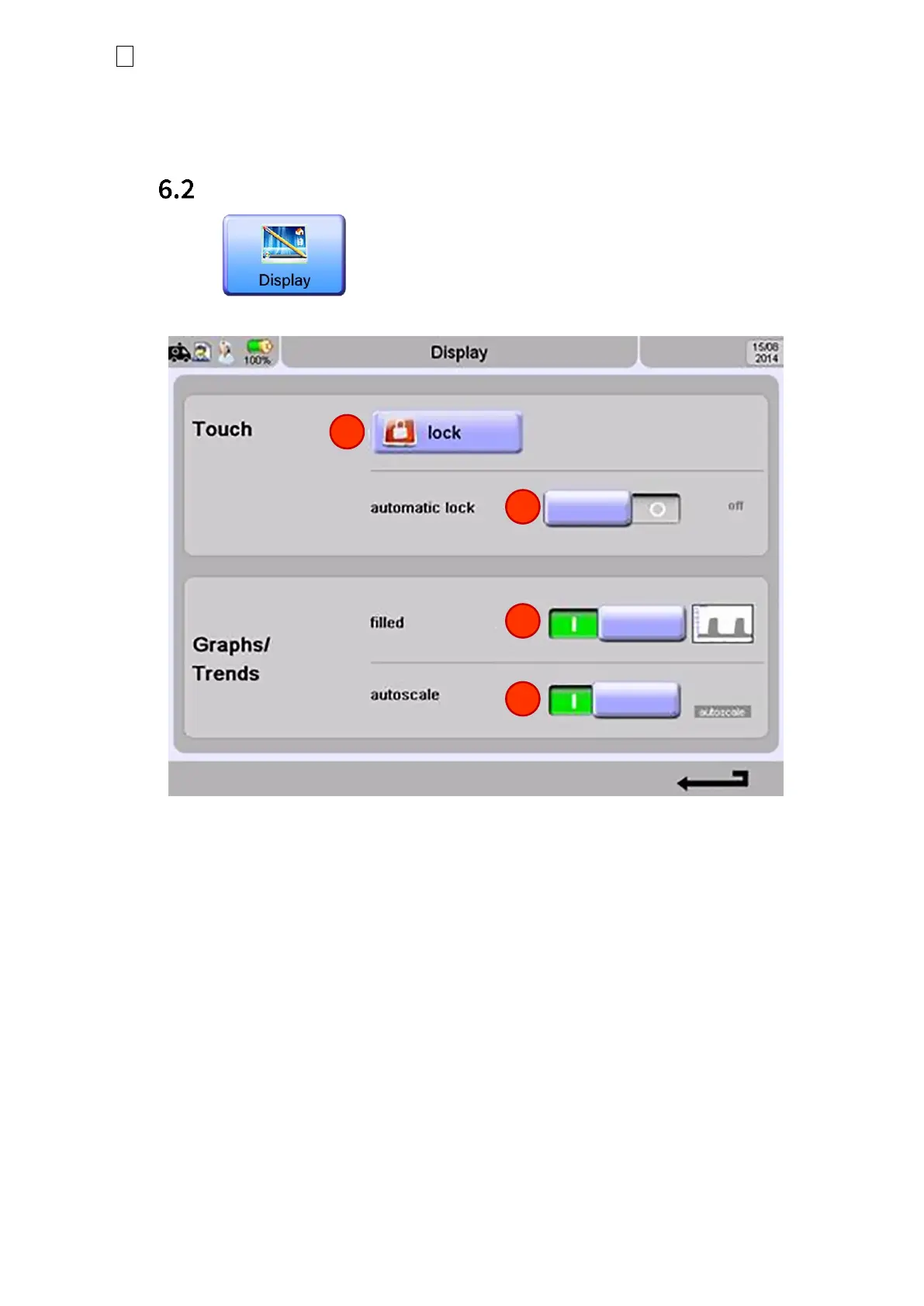
Display
Figure 6-6: Display screen settings
1. Lock Touch screen. The screen will automatically be unlocked if an alarm is triggered or the
Rotary Pulse knob is pressed.
2. Automatic lock activated/deactivated. Touchscreen automatically locks after a set time.
3. Display graphs as filled or regular lines.
4. Autoscale ON / OFF



 To Next Page