Chapter 11: Monitoring Your Storage Space ● 110
Finding the Notification Log Files
In addition to appearing in the Notification Log, notifications are saved
in a log file named
raidnot.log, which can be found in the top-level
Adaptec Storage Manager folder.
The
raidnot.log file has a maximum capacity of 200 kilobytes (KBs).
When the capacity is exceeded, old events are copied into a file named
raidnot.old, and a new raidnot.log file is created. If a raidnot.old already
exists, it is overwritten.
Clearing the Notification Log
To make it easier to monitor recent events, you can clear the
Notification Log.
Note: Clearing the Notification Log doesn’t erase the existing
raidnot.log file (see above).
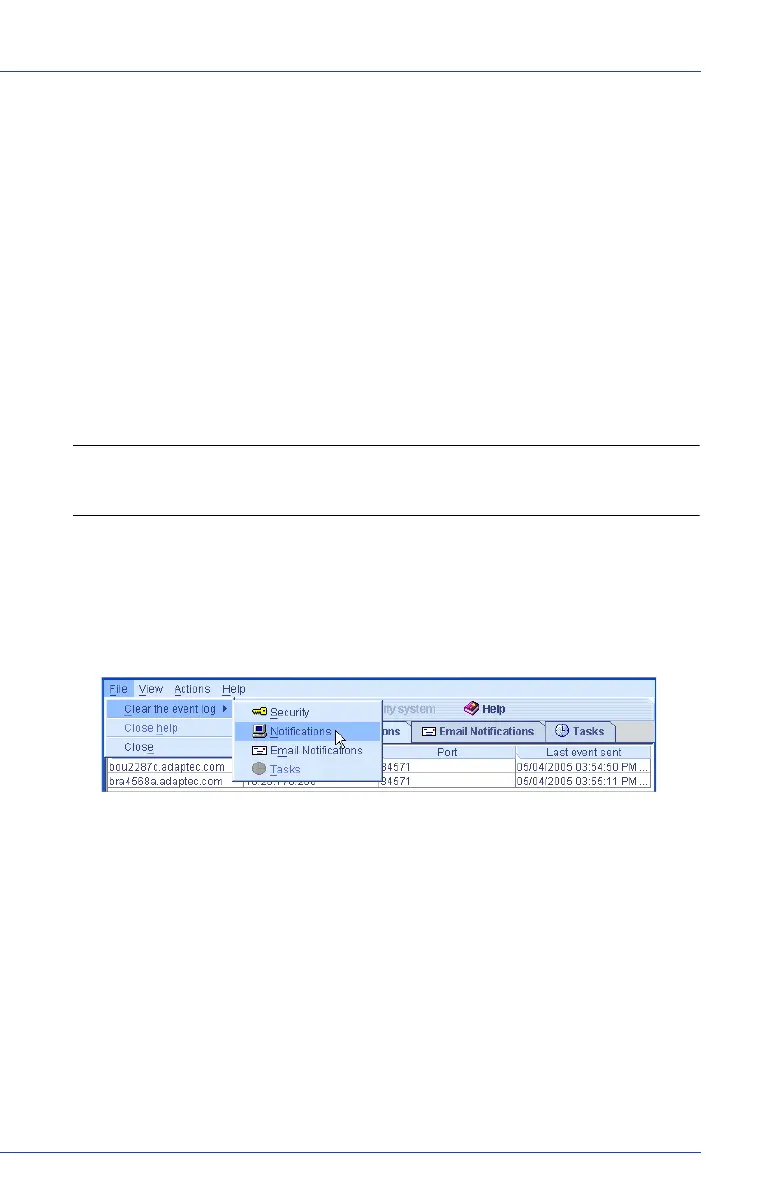
To clear the Notification Log:
1 Open the Notification Manager. (See page 104.)
2 In the menu bar, click File, select Clear the event log, then click
Notifications.
3 Click Ye s to clear the log.
The log is cleared, except for one event reporting that the log was
cleared.



 To Next Page