Chapter 9: Managing Logical Drives and Hot Spares ● 77
Creating a Logical Drive Using Available Space
Free segments on a disk drive can be used to create a new logical drive.
(A segment can only be used in one logical drive at a time.)
To create a logical drive using free segments on disk drives:
1 Complete Steps 1 through 5 in Custom Configuration (Advanced) on
page 51.
2 In the Physical Devices panel, select the disk drives and/or free disk
drive segments you want to use in the logical drive.
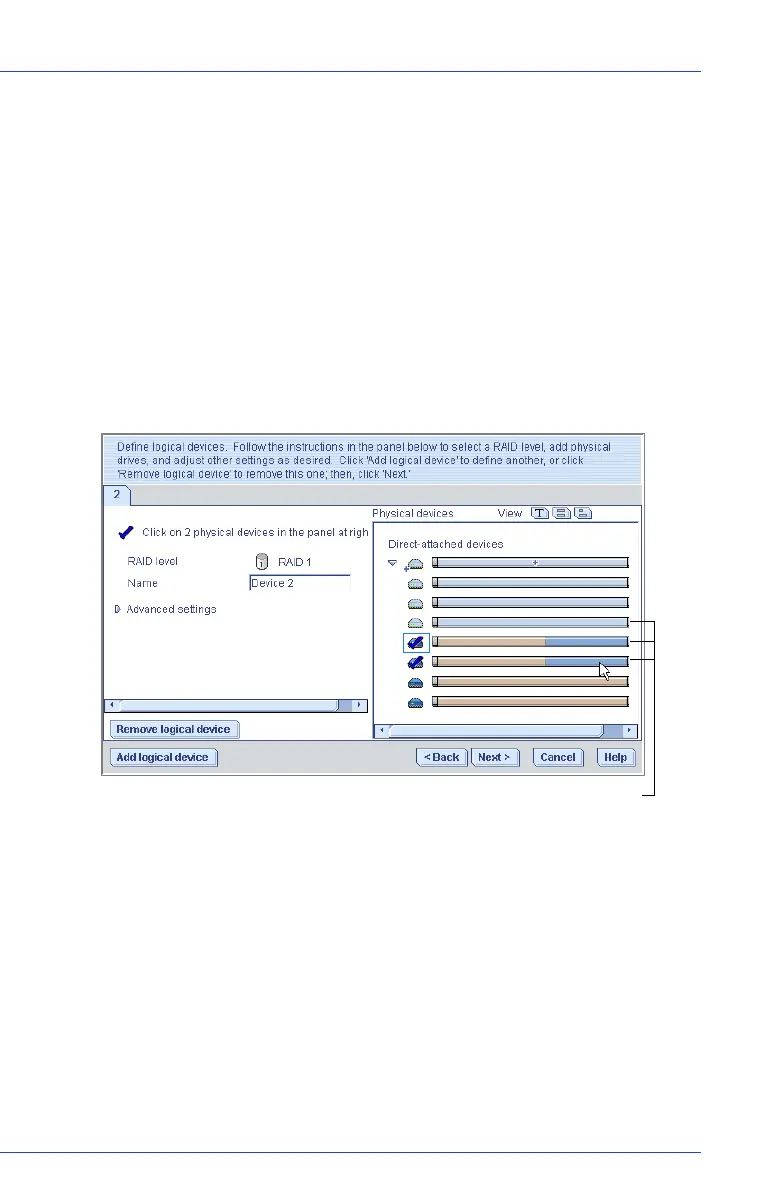
In the example below, two free disk drive segments (indicated in
blue) are used to create a RAID 1 logical drive.
3 Click Next.
4 Review the logical drive settings.
5 Click Apply, then click Ye s.
Adaptec Storage Manager builds the logical drive. The configuration
is saved in the Adaptec controller and in the physical drives.
Free segments and available disk drives are blue



 To Next Page