Chapter 11: Monitoring Your Storage Space ● 115
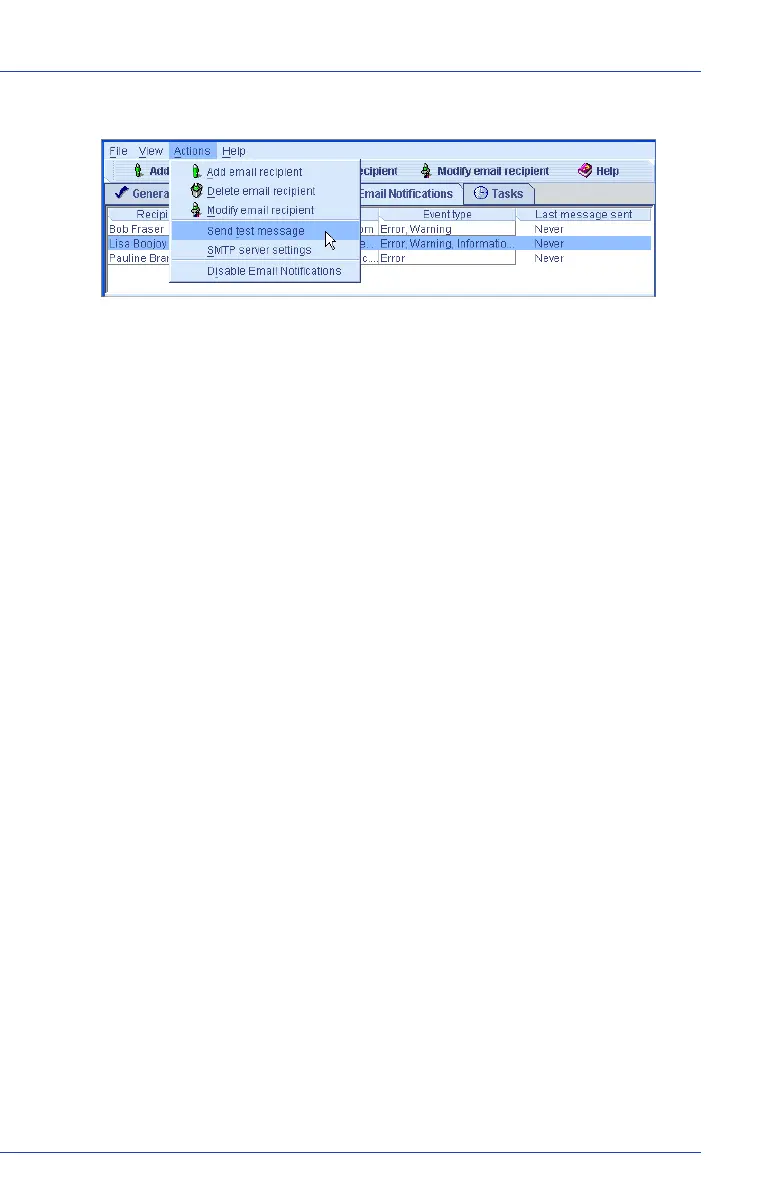
3 On the menu bar, select Actions, then click Send test message.
The test message is sent.
If the test is successful, the email recipient receives the test message.
If the test fails:
a Ensure that the recipient’s email address is correct. (See
Modifying a Recipient’s Information on page 115 to modify the
address.)
b Ensure that your SMTP server address is correct. (See Changing
the Email Notification Manager Settings on page 118 to modify
the address.)
c Try sending the test message again.
Managing the Email List
This section describes how to:
● Add an email recipient, see page 113.
● Modify an email recipient’s information, see below.
● Remove an email recipient, see page 116.
Modifying a Recipient’s Information
If a recipient’s email address changes, or if you need to change the types
of event notifications the recipient receives, you can update the
recipient’s information in the Email List.
To modify a recipient’s information:
1 Open the Email Notification Manager. (See page 111.)
2 Click on the recipient’s name.



 To Next Page