Chapter 9: Managing Logical Drives and Hot Spares ● 92
Assigning a Dedicated Hot Spare
A dedicated hot spare is assigned to one or more specific logical drives.
To assign a dedicated hot spare:
1 In the Enterprise View, click the controller on which you want a
dedicated hot spare.
2 In the Physical Devices View, click the disk drive you want to
designate as a hot spare. (See Hot Spare Limitations on page 90 for
help selecting a disk drive.)
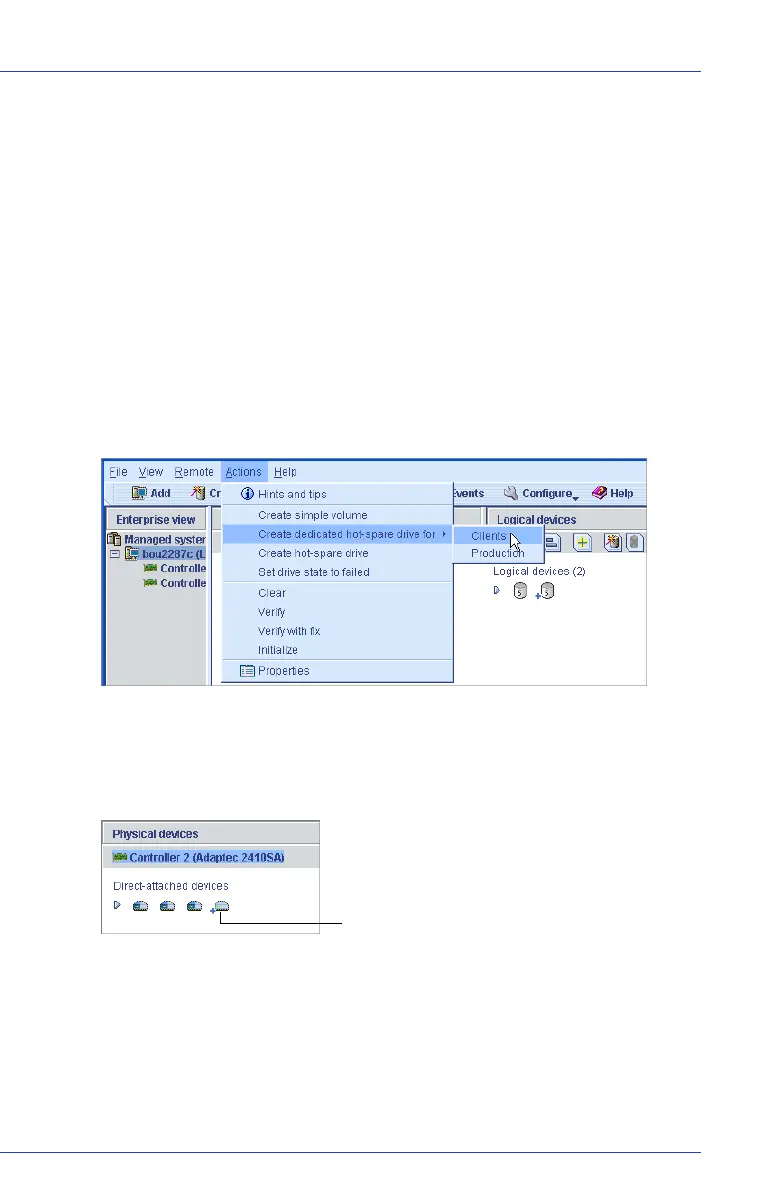
3 In the menu bar, select Actions, then click Create dedicated hot-
spare drive for, then click the name of the logical drive. (In the
example below, the logical drive name is “Clients”.)
A plus sign appears beside the selected disk drive, indicating that it’s
designated as a dedicated hot spare. (A yellow plus sign indicates an
error. See What Do the Hot Spare Icons Mean? on page 93 for help
solving the problem.)
4 To use the same dedicated hot spare to protect another logical drive,
repeat Step 2 and Step 3.
Hot spare



 To Next Page