Step 5: Customizing Adaptec Storage Manager ● 61
Logging In to Remote Systems
If multiple computers (or systems) on your network are in your storage
space, you can use Adaptec Storage Manager to monitor and manage all
of them from one computer.
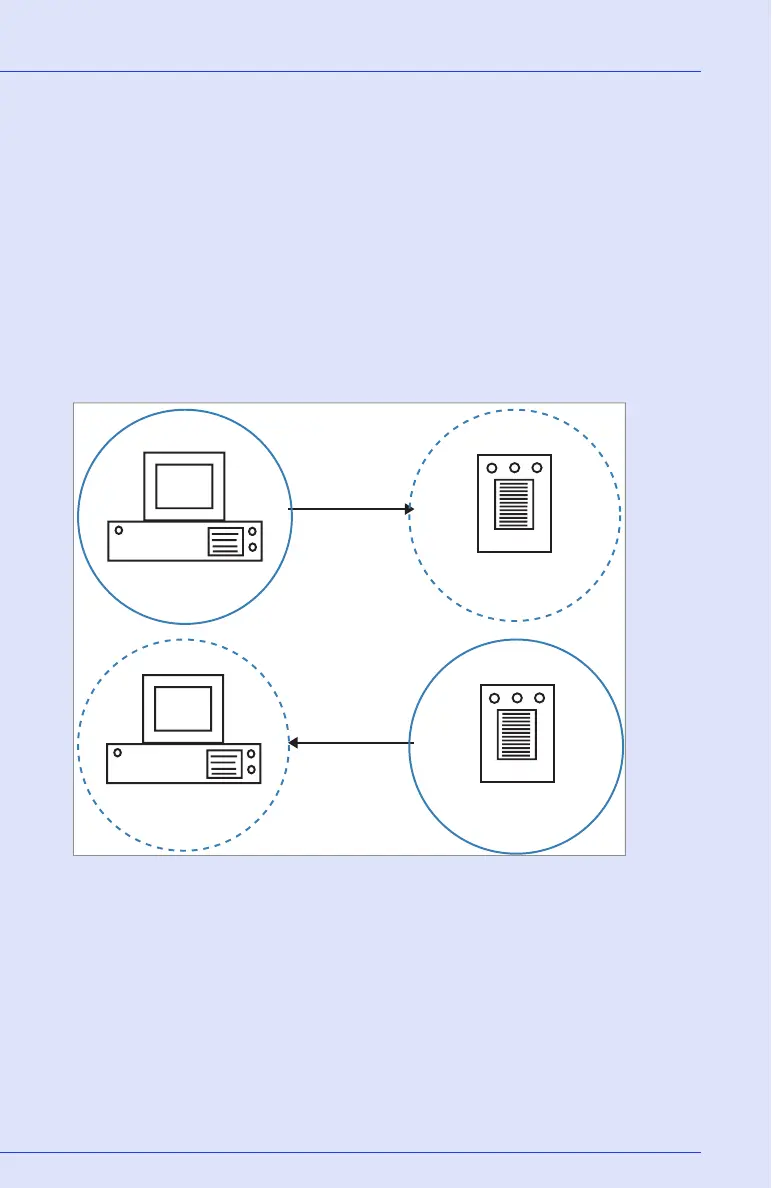
The computer that you’re working on is called the local system. All other
computers in your storage space are remote systems. ‘Local’ and ‘remote’
are relative terms, as shown in the Figure below: when you are working
on workstation A (local system), server B is a remote system; when you
are working on server B (local system), workstation A is a remote
system.
To manage remote systems, you log in to them from the local system.
Adaptec Storage Manager or the Adaptec Storage Manager agent (see
page 33) must be running on the remote system and before you can log
in to it.
Workstation running
Adaptec Storage Manager
or Agent
A
Local logged in
to remote
Local logged in
to remote
Server
B
Server running
Adaptec Storage Manager
Workstation running
Adaptec Storage Manager
A
Server
B
Server running
Adaptec Storage Manager
or Agent



 To Next Page