Chapter 12: Managing Tasks ● 129
Modifying a Task
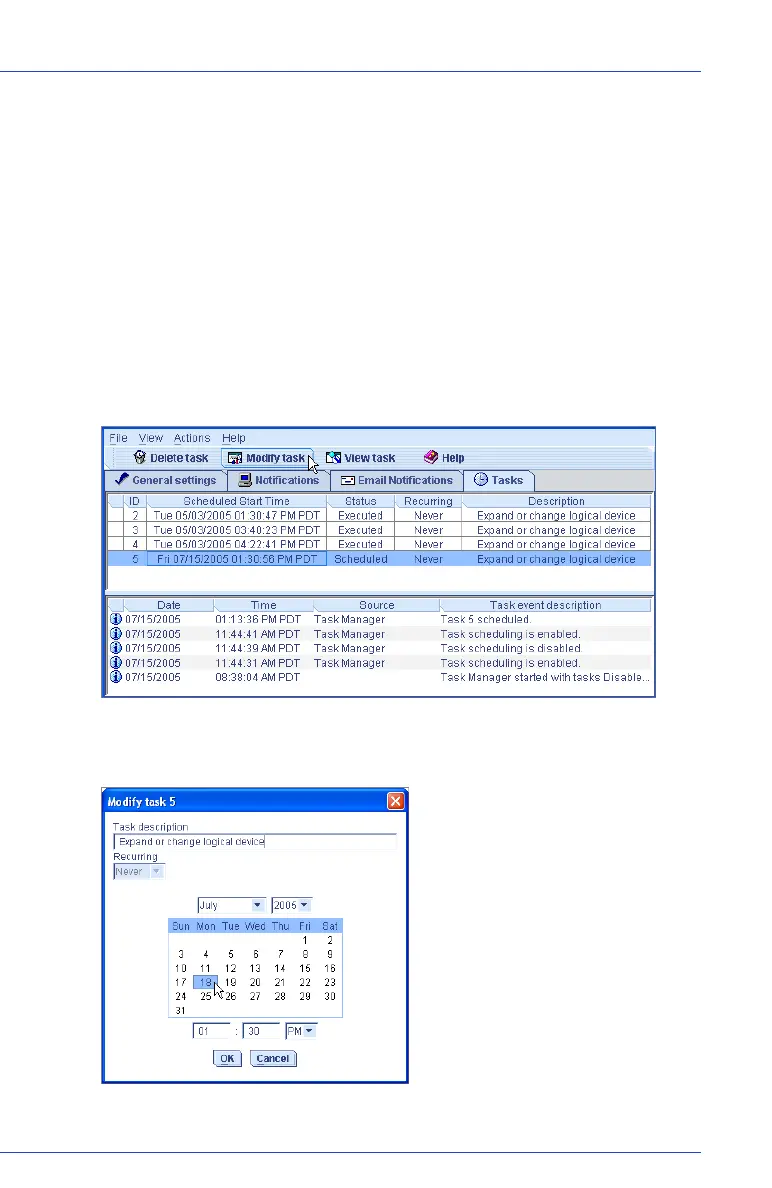
If your requirements change, you can reschedule a task to a different
date or time. You can also modify the task description that appears in
the Task List. Creating a custom task description makes it easier to find
the task in the Task List.
To modify a scheduled task:
1 In the tool bar, click Configure, select the system you want, then
click Ta s ks (as shown on page 126).
2 In the Task Manager, select the task you want to change, then click
Modify task.
3 In the Modify Task window, make the required changes, then click
OK.
The task and Task List are updated with the new information.



 To Next Page