Chapter 11: Monitoring Your Storage Space ● 118
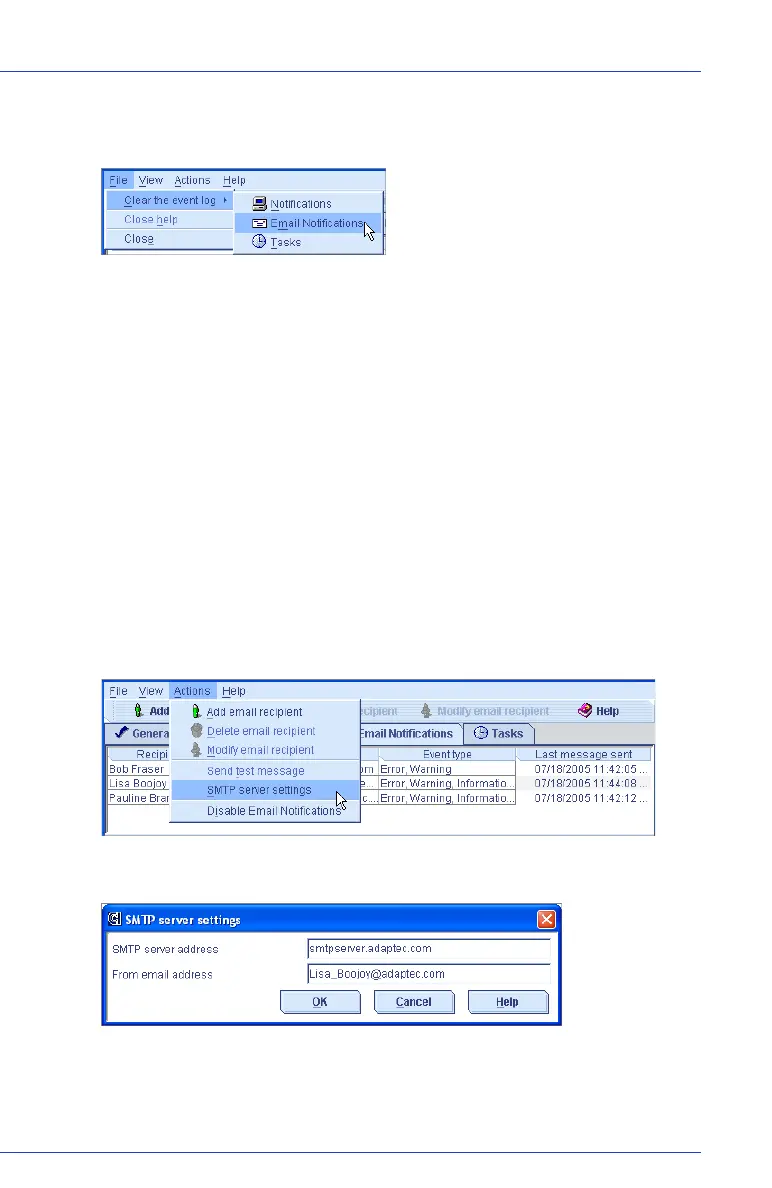
2 In the menu bar, select Clear the event log, then click Email
Notifications.
3 Click Ye s to clear the log.
The log is cleared, except for one event reporting that the log was
cleared.
Changing the Email Notification Manager Settings
You can modify these Email Notification Manager settings as your
needs change:
● Address of your SMTP server
● ‘From’ address that will appear in email notifications
To modify the Email Notification Manager settings:
1 Open the Email Notification Manager. (See page 111.)
2 In the menu bar, select Actions, then click SMTP server settings.
The SMTP Server Settings window opens.
3 Enter the address of your SMTP server.



 To Next Page