Chapter 2: Introduction to Adaptec Storage Manager ● 22
Unlocking the Enhanced Features
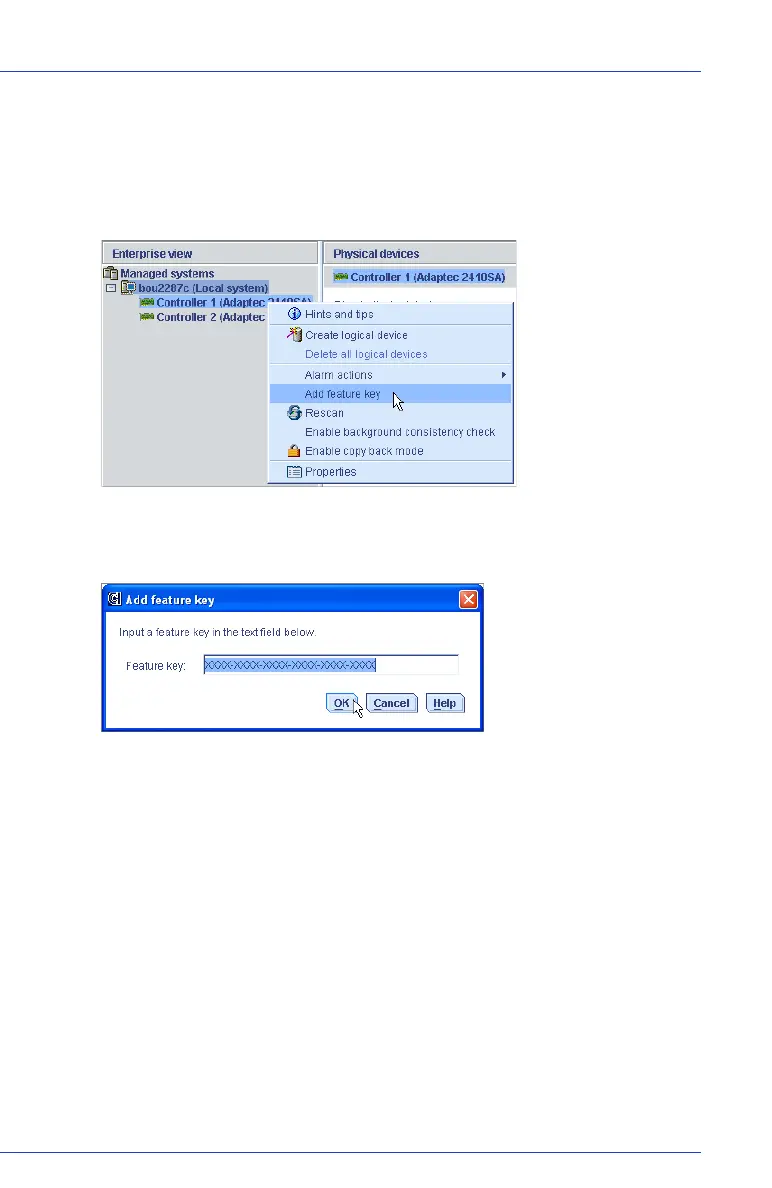
To unlock enhanced features with a feature key:
1 In the Enterprise View, right-click the controller you want, then
click Add feature key.
The Add Feature Key window opens.
2 Enter the feature key, then click OK.
3 Click OK to confirm.
The enhanced features are unlocked and are now ready for use.



 To Next Page